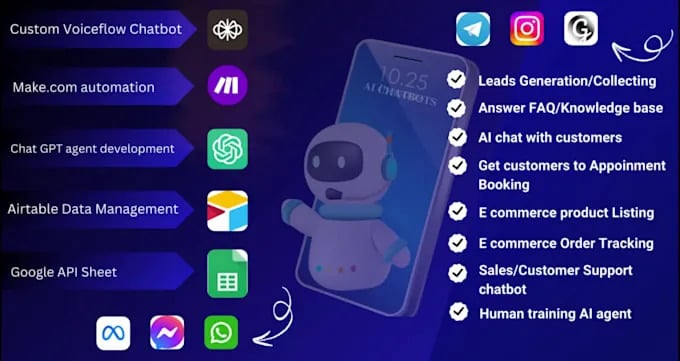
An AI chatbot for e-commerce automates support and boosts sales by instantly answering questions and guiding shoppers without human wait times. This guide details setup steps, key metrics for success, and how to handle common errors or legal limits. You'll also learn when human intervention is necessary and how to maintain system stability after launch.
An e-commerce chatbot is a software program that talks to customers on your website or social media pages. It uses pre-written rules or artificial intelligence to understand questions and give answers immediately. Businesses use these tools to handle thousands of messages at once, something human teams can't do without huge costs. The main goal is to solve simple problems like order tracking or size guides so your staff can focus on complex issues.
Many people think these bots are just fancy menus that force users to click buttons. They connect directly to your inventory database to check stock levels in real time, preventing sales of unavailable items. However, they follow the data you feed them, so incorrect product descriptions lead to confident but wrong answers.
A common mistake is letting the bot handle returns without setting a value limit. While low-cost items can be approved instantly, expensive requests should pause for human review to prevent fraud. This rule maintains speed for everyday shoppers while protecting revenue from automated approvals on high-value goods.
The technology bridges the gap between a browser visiting your site and a completed purchase by removing friction. It works best when you train it on your actual support logs rather than generic scripts. If your past tickets show confusion about shipping times, program the bot to lead with delivery estimates before the user even asks.
Setting up a functional bot requires more than just turning on a switch. You must map out the customer journey before writing a single line of code. Follow these steps to build a system that actually helps your sales rather than annoying visitors.
Map your top ten questions. Look at your past email support tickets and list the most common queries. These usually include "Where is my order?", "What is your return policy?", and "Do you ship to [Country]?". Write clear, short answers for each of these ten points first.
Connect your inventory system. Link the bot to your product database so it can see live stock counts. This step ensures the bot never promises an item that's out of stock. Without this connection, you risk canceling orders later, which damages trust.
Design the handoff trigger. Decide exactly when the bot should stop trying to help and call a human. A good rule is: if the customer uses negative words like "angry" or "refund" twice, or if the bot fails to answer two questions in a row, transfer the chat immediately.
Test with fake scenarios. Have team members try to break the bot by asking confusing questions or typing slang. Check if the bot gets stuck in a loop or gives irrelevant answers. Fix these gaps before letting real customers see it.
Launch on one channel first. Start by putting the bot on your website only, not on Facebook or WhatsApp yet. This limits the risk if something goes wrong. Monitor the conversations closely for the first forty-eight hours.
Review and refine daily. Read the chat logs every evening for the first week. Identify where customers got frustrated and update the bot's responses to be clearer.
The single most important judgment call here is deciding how "smart" the bot should sound. If you make it too casual, it might offend serious buyers; if it's too robotic, people feel ignored. Aim for a helpful, neutral tone that solves the problem quickly without pretending to be human.
If your business handles sensitive financial data or medical products, you may need a developer with specific security training to ensure the bot complies with safety laws. Never let an untrained person connect the bot to your payment gateway directly.
Your bot needs specific configurations to work well across different situations. The table below shows the standard settings for common e-commerce scenarios and what metrics you should watch.
|
Situation |
What to use |
How long |
What to watch for |
|---|---|---|---|
|
Order Tracking |
Live API link to courier |
Instant (under 2 seconds) |
Failed lookups due to typos in order numbers |
|
Product Recommendations |
Rule-based filter by category |
5-10 seconds to generate list |
Low click-through rates on suggested items |
|
Return Requests |
Guided form with photo upload |
2-3 minutes per user |
Users dropping off before submitting photos |
|
Fake Order Filtering |
Fraud detection algorithm |
Real-time during checkout |
High false positives blocking real customers |
|
Abandoned Cart Recovery |
Automated message after 1 hour |
Send 1 reminder only |
Annoyance if sent too frequently |
|
Complex Complaints |
Human handoff protocol |
Immediate transfer |
Long wait times for the human agent |
These settings assume a standard mid-sized online store with about 500 daily visitors. If you have significantly more traffic, you may need to upgrade your server capacity to keep response times under two seconds. For smaller shops, the free tiers of most platforms work fine. Always check the documentation from your specific software provider for exact limits on message volume.
Experienced operators know that the difference between a useful bot and a frustrating one lies in the preparation. Beginners often load the bot with hundreds of answers nobody asks, while experts focus on the top five problems that drive sales. The best bots prepare the user before the conversation even starts. Instead of a generic "Hello," they say, "Hi! Are you looking for shipping info or help with an order?" This simple choice saves the customer time and reduces confusion.
Order matters deeply in how the bot speaks. Good bots confirm the user's intent before giving a long answer. If a user asks about returns, the bot should first ask, "Is this for a damaged item or a change of mind?"
Because the rules differ. This prevents the user from reading irrelevant policies. Experts also check the bot's performance midway through the day. They look for patterns where users type "agent" repeatedly, which signals the bot is failing at a specific task.
Another critical detail is what the bot leaves alone. Don't try to automate emotional complaints. If a customer says they're upset about a late delivery, the bot shouldn't offer a discount code automatically. That decision requires human empathy and authority.
Let the human agent handle the apology and the compensation. Also, never let the bot promise delivery dates it can't guarantee. If the courier is delayed, the bot should state the estimated window based on carrier data, not a fixed date. This honesty builds more trust than a false promise ever could.
Even well-built bots face issues. The table below matches common symptoms with their likely causes and the first step to fix them.
|
What you notice |
What it usually means |
What to do first |
|---|---|---|
|
Bot gives unrelated answers |
Keyword matching is too broad |
Narrow the trigger phrases for that topic |
|
Users quit after first message |
Opening question is too vague |
Change greeting to offer specific menu options |
|
Bot loops on the same question |
No "exit" command defined |
Add a rule to transfer to human after 2 tries |
|
Slow response times |
Server overload or bad API |
Check your internet connection and API limits |
|
Bot misses order numbers |
Format recognition is strict |
Update parser to accept spaces or dashes |
If the bot starts giving dangerous advice, such as telling someone to mix chemicals or share passwords, shut it down immediately. This usually happens if the AI learns from bad data sources. In that case, revert to the previous version of the bot until you can clean the training data. Never ignore a loop where the bot repeats itself; it wastes the customer's time and increases frustration instantly.
When users abandon the chat after the first message, check if your greeting asks an open-ended question instead of offering three clear choices. If response times lag only during peak hours, your server might be hitting concurrent connection limits rather than suffering a general outage. Scale your infrastructure specifically for those windows instead of rewriting efficient code.
For order number errors, test your parser against formats containing dashes, spaces, and lowercase letters before deploying, as customers rarely type exactly as your database expects. If the bot provides harmful instructions, disconnect its access to external knowledge bases immediately while you audit the source material.
Don't attempt to patch individual bad responses when the underlying data is corrupted, since new errors will emerge faster than you can fix them. Always set a hard limit of three repetitive loops before forcing a handoff to a live agent, because every extra cycle destroys trust permanently.
Automated systems must follow strict rules to protect consumers and businesses. In many countries, including Bangladesh, consumer protection laws require that buyers know they're talking to a machine if it affects their legal rights. You can't hide the fact that a bot is handling the conversation. If a transaction involves financial advice or health claims, the bot must state it isn't a licensed professional.
Data privacy is another major limit. When a bot collects names, addresses, or phone numbers, it must comply with local data protection regulations. You can't store this data indefinitely or sell it without explicit permission. If your bot processes payments, it must adhere to Payment Card Industry (PCI) standards. This often means the bot should never see the full credit card number; instead, it should redirect the user to a secure payment gateway hosted by a certified provider.
If a customer disputes a charge or claims fraud, the bot can't legally resolve the issue alone. You need a human review process for all disputes over a certain amount, often set by your bank or local law.
Ignoring this can lead to fines or loss of your merchant account. Always check with your local commerce authority or legal advisor to ensure your automation scripts meet current compliance standards. For specific guidance on digital transactions in your region, consult the relevant government financial regulatory body.
Once your bot is live, it needs regular care to stay effective. Treat it like a garden, not a machine you install and forget. Every week, review the chat logs to find new questions customers are asking that the bot doesn't know. Add these to its knowledge base promptly. If you launch a new product line, update the bot's inventory links immediately so it doesn't recommend out-of-stock items.
Storage of chat history is also vital. Keep records of conversations for at least six months, or as long as your local laws require, to handle potential disputes. Ensure your backup systems are active so that if the main server fails, the bot can still take messages and queue them for later. Don't let the bot run unchecked for months; language changes, and slang evolves. A phrase that was clear last year might be confusing today.
To bring the bot back to peak performance if it starts failing, reset its context memory. Sometimes the bot gets confused by long, complex conversations. A scheduled restart during low-traffic hours can clear these glitches. Also, re-test the handoff triggers monthly to ensure they still send urgent cases to humans quickly. If you notice the bot is missing more than 10% of queries, it's time for a major update or retraining.
There are times when a bot is the wrong choice for your business. First, if you sell highly customized, made-to-order products where every sale requires a unique consultation, a bot will frustrate buyers. These customers want to talk to an expert who understands the nuances of their request, not a script.
In this case, use a simple booking form to schedule a call with a specialist instead. Trying to force automation here often leads to abandoned carts because the buyer feels unheard before the conversation even truly begins.
Second, if your business is very small and receives fewer than five inquiries a day, a bot adds unnecessary complexity. You can answer these personally faster than setting up and maintaining the software. The cost of the tool might outweigh the time saved. If you spend two hours configuring rules to save ten minutes of typing, you have lost money on that day.
Finally, during a crisis like a massive product recall or a website outage, turn the bot off. People are angry and need immediate, empathetic human reassurance. A bot saying "I understand your frustration" during a disaster often makes people angrier.
In these moments, put a static banner on your site with clear instructions and a direct phone number. Automated empathy reads as insincerity when stakes are high, so let your team handle the flood of emotions directly until the situation stabilizes.
A basic bot takes about three to five days to build if you have your FAQs ready. This assumes you're using a standard platform and only need to answer common questions. If you need custom integrations with your inventory, it could take two weeks. The time depends mostly on how clean your product data is.
Yes, a chatbot can increase sales by 10% to 20% by recovering abandoned carts. It works by reminding users to finish their purchase when they leave the site. The exact number depends on your current conversion rate and how aggressive your reminders are. You must test different messages to see what works for your audience.
Your bot gives wrong answers because its training data is outdated or incomplete. If you changed a policy yesterday but didn't update the bot, it will quote the old rule. Check your knowledge base weekly to ensure all information matches your current operations. Also, verify that your inventory sync is working correctly.
It's safe only if the bot follows strict encryption and privacy protocols. Never let a bot store credit card numbers directly in its chat logs. Use secure tokens and redirect payments to certified gateways. Always check if your provider complies with international security standards before connecting them to your database.
If the bot crashes, customers should automatically see a fallback message asking them to email support. You need a contingency plan where human staff monitors the chat volume during big sales events. Don't rely 100% on automation during peak times like holidays. Having a human ready to jump in prevents lost revenue.
Costs range from free plans for small shops to premium tiers for enterprise features based on usage and capabilities. Most platforms charge according to your monthly visitor count and integration needs. Always review the fine print for potential fees on extra features.
Start small by testing your bot with a few common questions, then watch how customers respond. You'll quickly spot what works and where you need to tweak things. Don't wait for perfection; just launch, learn, and let your shop grow smarter every day.