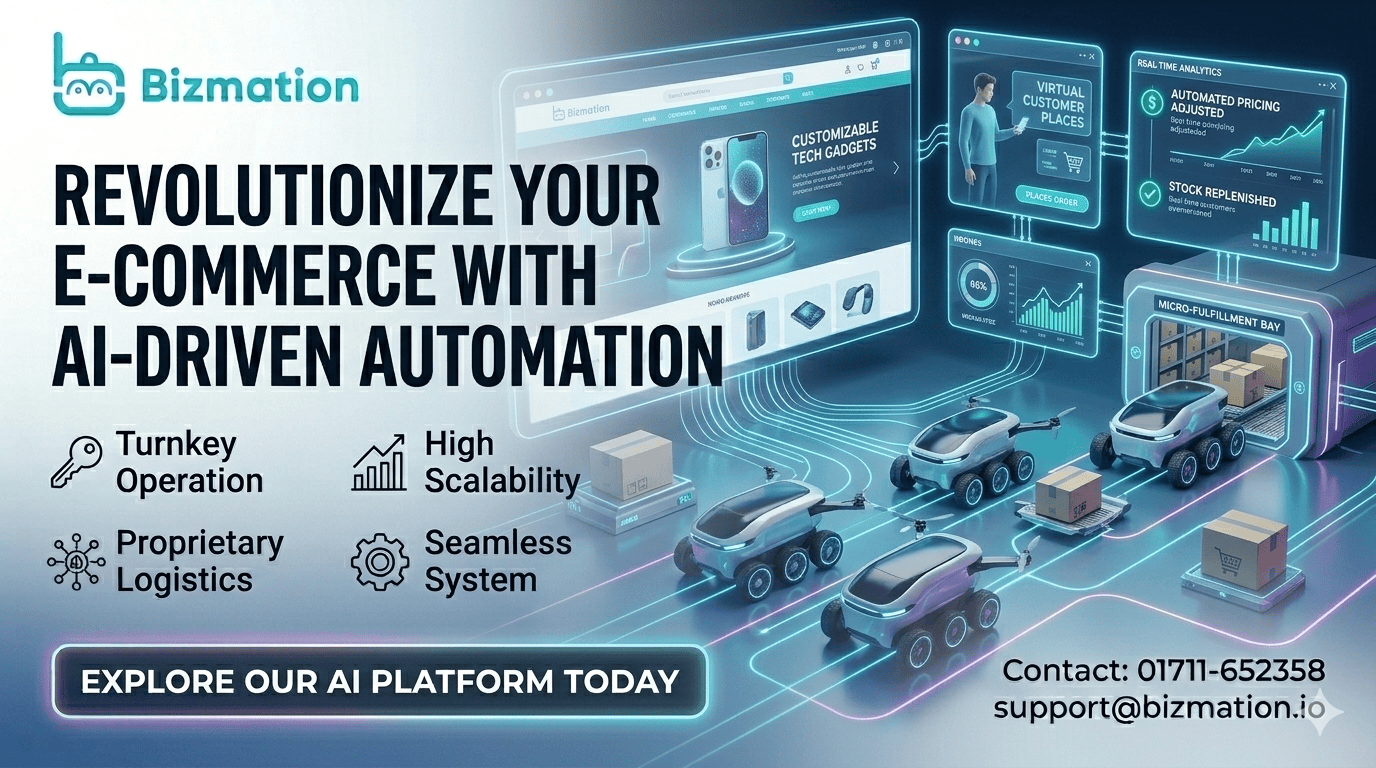
Running an online business in Bangladesh is exciting, but it often means dealing with many daily tasks. From handling orders to updating inventory, sending emails to customers, checking accounts, and shipping products, the work can feel endless. If you dream of growing your e-commerce business, these manual tasks can hold you back. That’s where e-commerce automation steps in.
Imagine a store that works for you, even when you sleep. An automated e-commerce business saves time, reduces errors, and helps you earn more profits with less effort. Whether you run your own website or sell on big platforms like Amazon or Walmart, automation is now the key to staying ahead. In this guide, you’ll learn how to automate your e-commerce store, boost your workflow, and scale your business smoothly. We’ll cover marketing, order management, shipping, accounting, and introduce you to smart tools like Bizmation—a top automation agency in Bangladesh.
Let’s explore how you can build a modern, automated e-commerce business that gives you more freedom and smarter growth.
E-commerce automation means using technology to do repetitive tasks in your online shop without manual work. Instead of spending hours on the same jobs every day, you set up systems—like software, apps, or bots—to handle them for you. This could mean sending order confirmation emails automatically, updating your stock in real time, or even filtering out fake orders.
For Bangladeshi business owners, automation is not just a trend. It’s a must-have if you want to compete globally or even locally. The benefits are clear: you save time, make fewer mistakes, and can serve more customers. Plus, you can focus on growing your business instead of just running it.
Automation is much more than just software—it’s a new way of working. It allows you to eliminate busywork and spend your energy where it matters most. For example, instead of hiring someone to check orders all day, you can let a software solution do that job, freeing up your team to focus on customer relationships or product development.
Automation can touch every part of your online business. Here are key areas you can automate:
Marketing: Automate emails, ads, and social media posts.
Order Management: Process orders, update customers, and manage returns.
Inventory: Track stock levels, reorder products, and avoid overselling.
Shipping: Print labels, send tracking numbers, and manage couriers.
Accounting: Sync sales data, handle invoices, and pay taxes.
Customer Service: Use chatbots and automated responses.
Let’s break down each of these areas in more depth:
This includes sending targeted emails, running scheduled promotions, and managing ads across platforms. You can segment your audience, send personalized offers, and track campaign performance—all without manual effort.
Order management automation handles everything from order confirmation to status updates. It ensures no order slips through the cracks and keeps customers informed from purchase to delivery.
Inventory automation tracks every sale and return, updating your stock levels instantly. It can alert you when products are running low, reorder automatically, and prevent overselling—a common headache during busy seasons.
Shipping automation connects your store with courier services. It prints labels, generates tracking numbers, and assigns couriers based on delivery location. This reduces shipping mistakes and speeds up delivery.
Accounting automation keeps your finances in order. It records every sale, generates invoices, calculates taxes, and even prepares reports for you. This reduces paperwork and makes tax season easier.
Customer service automation uses chatbots and automated replies to answer common questions. It can handle order status requests, FAQs, and basic troubleshooting, freeing up your team for complex issues.
Each area, when automated, reduces manual work and helps your store run smoothly.
Running an e-commerce store manually eats up valuable hours. Automation changes the game. Here’s how:
Many daily jobs are the same: checking orders, sending emails, or updating stock. With automation, these tasks happen by themselves. For example, when a customer buys a product, an email confirmation goes out automatically. The order details go straight to your warehouse or supplier, and your stock updates instantly.
Think of tasks like tracking inventory or sending payment reminders. These jobs might seem small, but they add up. With automation, you can finish them in seconds, not hours. For instance, instead of manually updating your inventory every evening, an automated system does it every time a sale happens.
A practical example: If you run a store that sells 100 products a day, sending confirmation emails and updating inventory manually takes hours. Automation cuts this to minutes. You can even automate thank-you messages and follow-up requests for feedback.
Manual work means human mistakes—wrong prices, missing orders, or sending the wrong product. Automation follows rules perfectly every time. This means fewer complaints, less wasted money, and happier customers.
Imagine sending out the wrong item to a customer or forgetting to update your website when stock runs out. These mistakes cost money and damage your reputation. Automation ensures each task follows the same steps, reducing risks.
For example, automated fraud detection can flag suspicious orders before they’re processed. Automated shipping ensures tracking numbers are sent correctly, and customers get the right package. When mistakes do happen, they’re easier to spot and fix.
When you don’t have to do everything by hand, you can spend time planning new products, running promotions, or finding new customers. Automation frees up your mind for big-picture thinking.
Too often, business owners get caught in daily routines. Automation gives you back your time. You can analyze sales trends, test new marketing ideas, or expand to new platforms like Amazon or Walmart.
You might even discover new opportunities—such as launching a subscription service or adding upsell offers—because you have more time to plan and test.
With fewer mistakes and faster service, customers are more likely to come back. Automation also helps you scale—serving more people with the same team. This means more sales without extra costs.
Automated marketing brings back lost customers, reduces abandoned carts, and increases order value. Automated order processing means orders are shipped faster, leading to more positive reviews and repeat purchases.
A hidden benefit: Automation can help you spot profit leaks. For example, automated reports show which products are most profitable, which ads work best, and where you lose money on returns or shipping errors. This lets you optimize your business for maximum profit.
Let’s look at the most important parts of your e-commerce business that you should automate for the best results.
Marketing can eat up a lot of time, but automation makes it smarter and more effective.
With tools like Mailchimp or Klaviyo, you can set up emails that send automatically:
Welcome emails to new customers
Order confirmation and shipping updates
Abandoned cart reminders for customers who didn’t finish shopping
Special offers based on customer behavior
These emails keep customers engaged and bring them back to your store without you lifting a finger.
A deeper example: Suppose a customer browses your website but leaves without buying. An automated system sends them a reminder after an hour, maybe with a discount code. This simple action can recover lost sales.
You can also segment your customers—sending special offers to those who buy often, or reminders to those who haven’t shopped in a while. Automation makes this possible at any scale.
Posting on Facebook, Instagram, and other platforms can be scheduled in advance. Tools like Buffer or Hootsuite help you plan a month’s content in one day. You can also run automated ads that show to the right people based on their interests.
Automation helps you stay active on social media without spending hours every day. You can schedule posts for holidays, new arrivals, or flash sales. Automated ads can target people who visited your website but didn’t buy, showing them products they viewed.
A practical tip: Set up automated replies for common questions on Messenger or Instagram, such as “Where is my order?” or “Do you ship to my area?” This saves time and keeps customers happy.
Automation tools can show each customer products they are most likely to buy. For example, after someone buys a phone, your site can suggest phone cases or chargers using product recommendation engines.
Personalization increases sales. Automated recommendations can appear on your homepage, checkout page, or in emails. For instance, “You might also like…” or “Customers who bought this also bought…”
A useful insight: Use automation to create bundles or upsell offers. If someone buys shoes, recommend socks or shoe polish automatically. This increases your average order value.
Automated dashboards show you which campaigns work best. This lets you spend money where it matters and stop wasting it on ads that don’t perform.
You can track opens, clicks, sales from each email or ad, and see which products are most popular. Automation gathers this data for you, so you don’t need to check each report manually.
A hidden benefit: Automated tracking helps you spot problems quickly. If an ad isn’t working, automation notifies you so you can adjust your strategy.
Order management is the heart of any store. Automating this area makes sure nothing falls through the cracks.
When an order comes in, it can automatically:
Create a picking list for your staff or warehouse
Update the inventory count
Notify the customer about their order
Send payment and shipping details to your accounting software
This means you don’t need to check each order manually. Orders are processed faster, and mistakes are less likely.
An example: Imagine running a sale and getting 300 orders in a day. Automated order processing ensures each order is packed and shipped without delay. Your team can focus on quality control, not paperwork.
Advanced automation tools can detect suspicious orders using rules or AI. For example, if someone tries to buy 50 phones with a new credit card from a risky location, the order is flagged or even stopped. This protects your business from losses.
You can set up rules based on order value, shipping address, payment method, or customer history. Automation acts as your first line of defense, reducing chargebacks and fraud.
A tip: Review flagged orders before processing. Automation catches most risky orders, but a human check can help in tricky cases.
Automated systems can handle return requests, send customers a return label, and process refunds once the item is received. This makes it easy for both you and your customers.
Automation sends clear instructions to customers, tracks returned items, and updates your inventory. You can even automate restocking and refunding, reducing the time spent on manual checks.
A hidden insight: Automate follow-up emails after returns. Ask customers why they returned products, and offer solutions. This helps you improve your products and reduce future returns.
Shipping is a big challenge for Bangladeshi e-commerce stores, especially with local couriers and international shipping.
You can connect your store to courier services (like Sundarban, Pathao, or DHL) so that shipping labels print automatically as orders are placed.
This saves hours of manual work. You can print labels in bulk, assign tracking numbers, and reduce packing errors.
A practical tip: Customize your shipping labels with your logo and contact info. Automation allows you to do this easily, improving your brand’s look.
Send tracking numbers to customers automatically. You can even show live tracking updates on your website or through SMS.
Customers expect fast, transparent shipping. Automation updates them at every stage—order received, shipped, out for delivery, delivered.
A hidden benefit: Automated tracking reduces customer inquiries. Fewer people ask “Where is my order?” because they get updates automatically.
Automation tools can calculate the best shipping rates based on weight, size, and destination. This helps you avoid undercharging or overcharging customers.
For example, if you ship heavy items, automation selects the most cost-effective courier. It can also offer free shipping for certain orders, based on rules you set.
A tip: Automate shipping discounts during sales or festivals. This attracts more buyers and saves you time.
If you use more than one courier, automation tools can assign each order to the best courier based on speed, price, or delivery area.
For example, rural orders go to Sundarban, while urban orders use Pathao. Automation checks delivery zones and chooses the best option.
A hidden insight: Automate courier performance tracking. See which couriers deliver fastest or have fewer lost packages, and adjust your choices automatically.
Finances are often a headache for business owners. Automation makes accounting simple and accurate.
Connect your e-commerce platform with your accounting software (like QuickBooks or Xero) to sync all sales, refunds, and expenses automatically. This means less paperwork and fewer mistakes.
Automation records each sale, updates your income, and tracks expenses. It can even generate daily, weekly, or monthly reports for your review.
A practical example: At the end of the month, you get a full profit and loss statement automatically. You don’t need to collect receipts or tally sales by hand.
Invoices can be created and sent to customers automatically after every purchase. This keeps your records clean and professional.
Automation ensures every customer gets a correct invoice. You can customize invoices with your branding and send them by email or SMS.
A tip: Automate reminders for unpaid invoices. If a customer hasn’t paid, the system sends gentle reminders until payment is made.
Automated tools can calculate VAT, income tax, and other fees based on Bangladeshi laws. You get reminders to pay your taxes on time, avoiding fines.
Tax rules change often. Automation keeps your calculations up to date, reducing risks. You can even automate tax filing with some tools.
A hidden insight: Automate expense tracking for business costs—like shipping, packaging, and advertising. This helps you claim deductions and pay accurate taxes.
See real-time profit and loss statements, expense reports, and sales trends without doing manual calculations.
Automated reporting helps you spot financial problems early—such as rising costs or declining sales. You can adjust your strategy before issues get serious.
A tip: Set up automated alerts for unusual spending or income drops. Automation acts as your financial watchdog.
Now that you know what can be automated, here’s how to start building your own automated ecommerce business in Bangladesh.
List all the tasks you and your team do every day, week, and month. For each task, ask: Can this be automated? If yes, note it down. Some common areas include order entry, customer emails, and inventory updates.
Break down your process step by step. For example:
Receiving orders
Confirming payments
Updating inventory
Packing and shipping
Sending shipping updates
Handling returns
Updating accounts
This mapping helps you see where automation can save time. You can even draw a flowchart to visualize your workflow.
A practical insight: Ask your team which tasks they find most repetitive or time-consuming. These are often good candidates for automation.
Look for tools that fit your needs and budget. Many global e-commerce platforms like Shopify, WooCommerce, and Magento offer built-in automation features. You can also use local solutions or specialized agencies.
Some popular automation tools:
Zapier: Connects different apps to automate tasks
Mailchimp/Klaviyo: Email marketing automation
ShipStation: Shipping automation
QuickBooks/Xero: Accounting automation
Bizmation: Complete e-commerce automation for Bangladeshi businesses
Compare tools based on features, ease of use, and local support. For Bangladeshi stores, check if the tool supports local payment gateways and couriers.
A tip: Try free trials or demos before committing. This helps you test compatibility and ease of use.
Make sure your website, payment gateway, inventory, shipping, and accounting tools all “talk” to each other. This avoids duplicate work and errors.
For example, when someone places an order, your inventory should update, your courier gets the delivery info, and your accounts record the sale—all automatically.
Integration saves you from manual data entry and reduces mistakes. Many tools offer plug-and-play integrations, but sometimes you need custom solutions.
A hidden insight: Work with agencies or experts who understand local systems. They can help you set up integrations that fit the Bangladeshi market.
Start with one area (like order processing) and set up automation. Test it with real orders. Watch for any mistakes or missed steps. Fix problems before automating more parts of your business.
Testing is crucial. Run trial orders, check emails, and monitor inventory updates. Ask customers for feedback on automated messages and shipping updates.
A tip: Set up alerts for errors or delays. Automation works best when you monitor performance and adjust as needed.
Once basic automation works, add more advanced features—like personalized marketing, loyalty programs, or AI-powered product recommendations. Review your processes every few months to spot new areas to automate.
Scaling means automating more tasks as your business grows. For example, add automated upsell offers, subscription billing, or multi-channel sales management.
A hidden insight: Automation can help you expand to new markets. For example, sell on Amazon or Walmart and automate order syncing, inventory updates, and shipping.

Many new e-commerce owners in Bangladesh try automation but miss these key points:
1. Not All Tasks Should Be Automated
Some jobs, like replying to unique customer questions, may still need a human touch. Automation works best for repetitive, rule-based tasks.
A practical example: If a customer has a problem with a damaged item, automation can handle basic steps, but a human reply adds empathy and trust.
2. Local Integration Matters
Bangladeshi e-commerce has its own challenges, like different payment gateways (bKash, Nagad) and local couriers. Make sure your automation tools support these, or work with an agency that understands the local market.
A common mistake: Using tools that don’t support local payment methods leads to lost sales and frustrated customers.
3. Data Cleanliness Is Key
Automation is only as good as your data. Make sure your product info, customer records, and inventory levels are always up to date.
Dirty data leads to errors—like wrong prices or outdated stock. Set up automated data checks and regular audits.
A hidden insight: Use automation to validate email addresses, phone numbers, and shipping addresses before processing orders.
4. Start Simple, Then Expand
Don’t try to automate everything at once. Begin with the most time-consuming tasks. As you get comfortable, automate more areas.
A tip: Automate order processing and inventory first, then add marketing and accounting automation.
5. Monitor for Errors
Even the best systems can have glitches. Set up alerts and review your automated processes regularly to catch problems early.
Automation is not “set and forget. ” Review reports, check customer feedback, and adjust as needed.
A hidden insight: Automate error alerts—such as low inventory, failed payments, or undelivered emails.
A smooth workflow means every part of your business runs without delays or confusion. Here’s how automation helps:
Automation means orders move from your website to your warehouse instantly. Staff know what to pick and pack, and customers get updates fast.
For example, an order placed at midnight is processed and ready for shipping before morning, without manual effort.
A practical tip: Automate packing slips and shipping labels, so staff can pack faster and more accurately.
Your inventory updates in real time. If a product is running low, you get alerts to reorder. This prevents selling out or overselling.
Automation tracks each sale, return, and restock. You can even automate purchase orders to suppliers.
A hidden insight: Use automation to set reorder points for each product, so you never run out during busy times.
No more copying data from one system to another. Automation moves information where it needs to go, reducing human error.
For example, when an order is placed, customer info, payment, and shipping details are synced automatically.
A practical tip: Automate syncing with local payment gateways and couriers to avoid delays.
Customers get quick responses, fast shipping, and accurate orders. Happy customers are more likely to buy again and tell their friends.
Automation sends order and shipping updates, handles returns smoothly, and responds to FAQs instantly.
A hidden insight: Automate loyalty programs and review requests to keep customers coming back.
As your business grows, automation handles the extra orders and work without needing to hire many more people.
You can process 100 orders or 1,000 orders with the same team, thanks to automated workflows.
A practical tip: Use automation to manage peak times—like Eid, Pohela Boishakh, or big sales—without stress.
Scaling means growing your business without losing quality or control. Here’s how automation helps you build a store that can handle more sales and customers:
Cloud software (like Shopify, Bizmation, or QuickBooks Online) lets you access your business from anywhere. It also means your systems stay up to date, and you can add new features easily.
Cloud tools are reliable, secure, and easy to scale. You can manage your store from your phone, laptop, or office.
A tip: Choose tools with strong local support and integrations for Bangladeshi payments and couriers.
Connect all parts of your business—website, inventory, shipping, accounts—into one system. This gives you a full view of your business at any time.
Centralized systems prevent mistakes and delays. You can see sales, stock, shipping, and finances in one dashboard.
A hidden insight: Centralize customer data to personalize marketing and improve service.
Create chains of actions: for example, a customer order triggers inventory updates, shipping label creation, and a thank-you email. Each step flows into the next, saving time and reducing mistakes.
Automated workflows keep your business running even when you’re away. You can customize workflows for different products or sales channels.
A practical tip: Automate workflows for returns, exchanges, and refunds to keep customers happy.
Use automated dashboards to track sales, profits, inventory levels, and customer satisfaction. This helps you spot problems early and make smarter decisions.
Automation tracks trends, highlights issues, and suggests improvements. You can set up alerts for low sales or high returns.
A hidden insight: Automate reports to compare performance across different sales channels—website, Amazon, Walmart.
As you grow, automation helps you handle more orders and customers without breaking down. Make sure your systems can scale up when needed, such as during festivals or big sales.
Scalable automation prevents bottlenecks. You can run flash sales or promotions without worrying about delays.
A practical tip: Test your systems before big sales—automate stress tests to check performance.
If you sell on your own website, Amazon, Walmart, or Facebook, automation keeps all your sales channels in sync. This prevents overselling and keeps your data accurate.
Omnichannel automation updates inventory and orders across platforms in real time. You can manage everything from one place.
A hidden insight: Use automation to track customer behavior across channels and personalize offers.
Many Bangladeshi sellers want to reach global customers through Amazon and Walmart. These platforms offer their own automation features.
With Amazon, you can automate:
Order processing: Orders from Amazon sync with your inventory and shipping systems.
Pricing: Automated repricing tools adjust your prices based on competitors.
Inventory management: Restock alerts help you avoid running out of products.
Customer emails: Automated feedback and review requests.
Amazon’s automation tools help you handle international orders, manage returns, and track performance. You can even automate listing updates and product descriptions.
A practical tip: Use automated repricing to stay competitive and maximize sales.
Walmart’s online marketplace also supports automation:
Order syncing: Orders from Walmart Marketplace flow into your main system.
Shipping updates: Customers get automated tracking info.
Inventory management: Automatically update stock levels across platforms.
Automation helps you expand globally without manual effort. You can handle multiple marketplaces, manage shipping, and track sales from one dashboard.
A hidden insight: Use automation to optimize listings and run targeted promotions for Walmart customers.
Automation on these platforms helps you serve more customers, avoid mistakes, and grow your brand internationally.
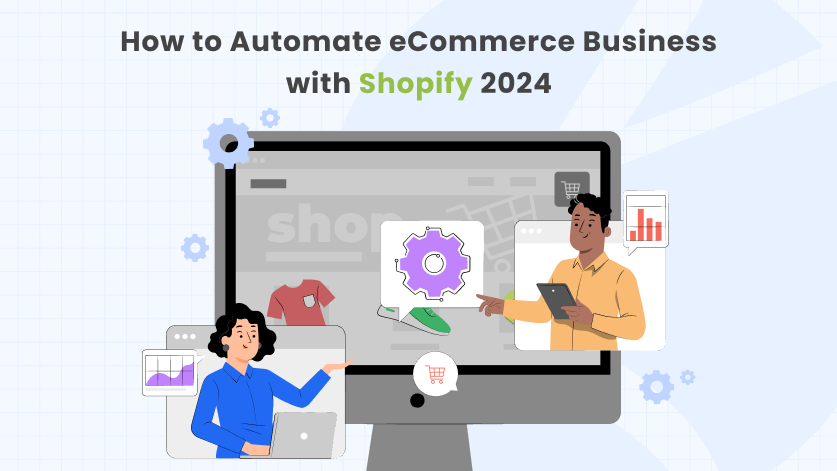
For Bangladeshi online business owners, working with a local expert makes a big difference. Bizmation (bizmation.io) is a leading e-commerce automation agency in Bangladesh.
Inventory Management: Track stock levels, get restock alerts, and sync inventory across all your sales channels.
Fraud Order Filtering: Advanced AI blocks fake or risky orders before they hurt your business.
One-Click Landing Pages: Create beautiful, high-converting product pages quickly—no coding needed.
Local Payment and Shipping Support: Works with bKash, Nagad, and local courier services.
Custom Automation: Solutions built for Bangladeshi e-commerce challenges.
Bizmation’s team helps you pick the right tools, set up automation, and keep your store running smoothly. This means you get more sales with less stress.
A practical insight: Bizmation understands local market needs, so they integrate with popular couriers and payment systems, avoiding compatibility issues.
Suppose you run a fashion shop online. Every day, you get 50 orders, update Facebook, manage inventory, and handle returns. Bizmation sets up automation so:
Orders are processed and sent to your warehouse automatically.
Customers get instant order and shipping updates.
Inventory is updated in real time—no more overselling.
Fake orders are blocked before you lose money.
Your sales and accounts are synced for easy tax filing.
You save hours every day and can focus on growing your brand.
A hidden benefit: Bizmation offers ongoing support and updates, so your automation grows with your business.
Automation can be powerful, but there are pitfalls to watch for:
If you automate every customer touchpoint, your store can feel cold and robotic. Keep some human touch, especially for customer service.
A practical example: Use automation for order updates, but reply personally to complaints or special requests.
Using tools built for other countries may not support local payments or couriers. Always check if your automation fits the Bangladeshi market.
A hidden insight: Local integration prevents payment failures and shipping delays.
Automation only works if your team knows how to use it. Invest time in training and support.
A practical tip: Run regular training sessions and create guides for your staff.
Even the best systems can break. Review your automated workflows often to catch and fix problems early.
Automation is not “set and forget. ” Set up regular audits and performance checks.
A hidden insight: Schedule automated error reports and backup routines to protect your data.
Here’s a look at some top automation tools for e-commerce businesses in Bangladesh:
|
Tool |
Main Feature |
Best For |
Local Support |
|---|---|---|---|
|
Bizmation |
Full e-commerce automation |
Bangladeshi businesses |
Excellent |
|
Shopify |
Built-in automation (Flow, Email, Shipping) |
All sizes |
Limited |
|
WooCommerce |
Plugins for automation |
WordPress users |
Moderate |
|
Zapier |
App connections |
Tech-savvy users |
Basic |
|
Mailchimp |
Email marketing automation |
Email focus |
Good |
For Bangladeshi businesses, Bizmation offers the most local integration and support. Shopify and WooCommerce are popular globally, but may need extra plugins for local payments and couriers.
A hidden insight: Zapier is powerful for custom integrations, but requires some technical knowledge.
What impact does automation have? Here are some real numbers:
|
Benefit |
Manual Process |
Automated Process |
Improvement |
|---|---|---|---|
|
Order Processing Time |
10 minutes/order |
1 minute/order |
90% faster |
|
Error Rate |
5% of orders |
0.5% of orders |
10x fewer errors |
|
Customer Support Response |
12 hours average |
Instant (auto-reply) |
Much faster |
|
Inventory Updates |
Once per day |
Real-time |
Instant |
Automation leads to faster service, fewer mistakes, and happier customers. This translates to more sales and higher profits.
A practical tip: Use automation to track these improvements and adjust your processes for even better results.
Let’s see how automation can change a typical Bangladeshi online shop.
Owner spends 4 hours daily on order entry and emails
Manual stock checks lead to overselling during sales
1 in 20 orders has a mistake—wrong item or address
Customers wait hours for shipping updates
This is common for small businesses. Manual work leads to delays, mistakes, and unhappy customers. Growth is limited by time and resources.
Orders flow automatically to the warehouse and courier
Inventory updates in real time, no overselling
Mistakes drop to less than 1 in 100 orders
Customers get instant shipping notifications
Owner saves 25+ hours each week
Automation transforms workflow. The owner can focus on marketing, launching new products, and expanding to global platforms.
A hidden insight: Automation helps you build a stronger brand, with faster service and better reviews.
This frees up time to launch new products, run ads, or expand to Amazon and Walmart.
The Bangladeshi e-commerce scene is growing fast. More people are shopping online, and competition is tough. Automation helps your business:
Handle more orders without hiring more staff
Serve customers better and faster
Avoid common mistakes that hurt profits
Stand out with fast, reliable service
Bangladesh has unique challenges—local payments, regional shipping, and changing regulations. Automation solves these problems and helps you compete with bigger brands.
A practical tip: Use automation to build customer loyalty and expand to new markets.
With solutions like Bizmation, even small businesses can use the same tools as big brands.
If you’re ready to automate your e-commerce store, Bizmation makes it easy:
Book a Free Consultation: Discuss your business needs with Bizmation’s experts.
Get a Custom Plan: Bizmation designs automation based on your products, size, and budget.
Easy Setup: They handle the technical work and train your team.
Ongoing Support: Bizmation monitors your systems and updates as your business grows.
Bizmation’s local expertise ensures smooth integration with Bangladeshi payment gateways and couriers. You avoid common mistakes and get tailored solutions.
Learn more at bizmation.io and see how easy it is to automate your e-commerce business.
E-commerce automation uses software to handle repetitive tasks like order processing, email marketing, and inventory updates. Your business needs it to save time, reduce errors, and grow faster without increasing workload.
Automation is especially important as your business grows. It prevents delays, improves accuracy, and lets you scale without extra staff.
Yes. Choose automation tools or agencies (like Bizmation) that support Bangladeshi payment gateways. Always check for local compatibility before starting.
A practical insight: Local integration ensures smooth payments and happier customers.
Costs vary by tools and business size. Basic automation can start for free or low monthly fees. Full-service agencies like Bizmation offer custom pricing based on your needs.
A hidden tip: Start small, automate key tasks first, then expand as your business grows.
No. Automation handles repetitive tasks, letting your staff focus on customer service, marketing, and business growth. It helps your team work smarter, not smaller.
Automation improves job satisfaction by removing boring tasks and allowing staff to focus on creative work.
Most automation tools use strong security features. Always pick trusted providers and keep your software updated to protect your business data. For more on data security, see E-commerce Security.
A practical tip: Automate backups and regular security checks to keep your business safe.
---
Automating your e-commerce business is not just a smart option—it’s the future of online retail in Bangladesh. With the right tools and partners like Bizmation, you can save time, cut errors, and grow your profits. Don’t let manual work slow you down. Automate your e-commerce with Bizmation and unlock smarter, faster growth for your business today.