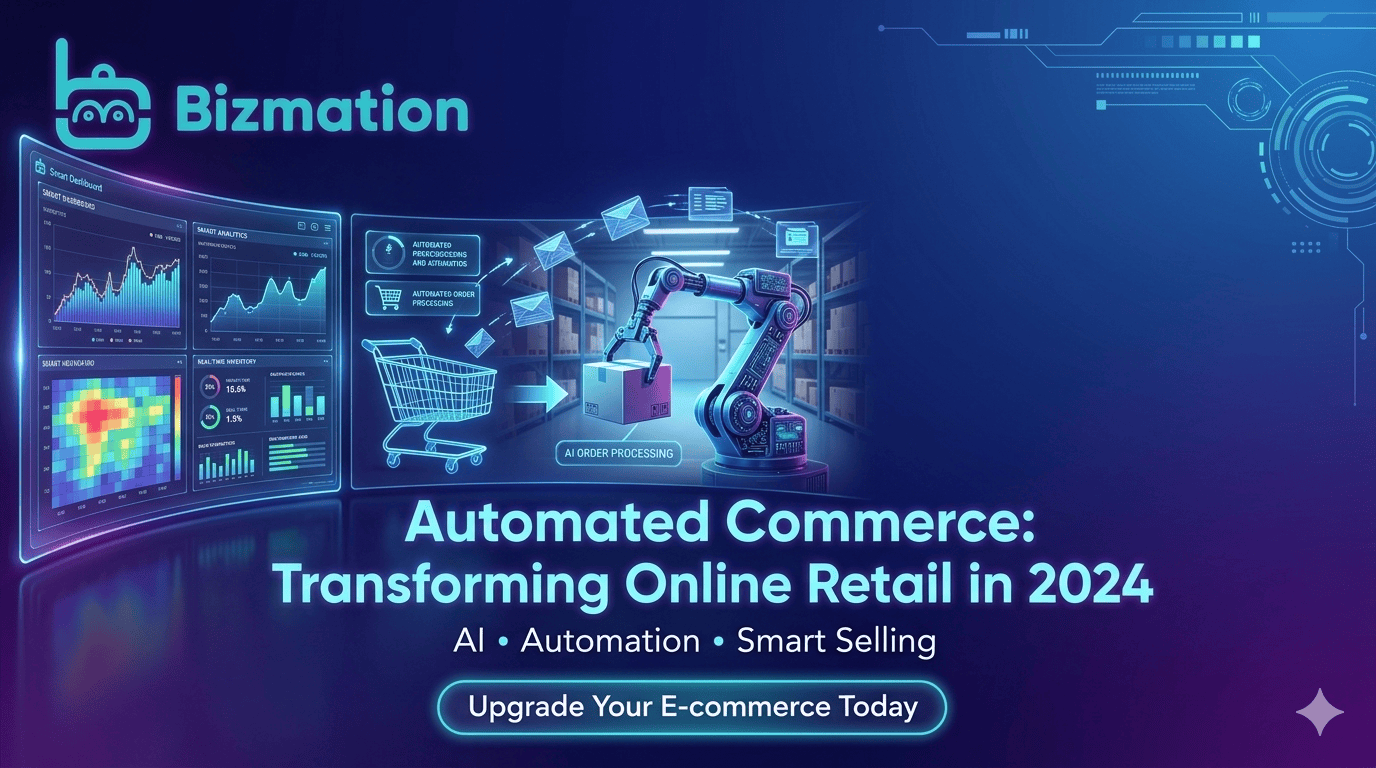
Running an online business in Bangladesh is exciting but often demanding. Managing orders, marketing, shipping, and accounting can take hours every day, leaving little time for growth or innovation. This is where e-commerce automation comes in—a technology-driven way to make your store work for you, not the other way around.
Imagine a business where inventory updates itself, orders flow smoothly from your website to the courier, marketing runs on autopilot, and your accounts are always up to date. This isn’t a dream or limited to global giants like Amazon or Walmart. With the right tools, even small and medium Bangladeshi businesses can achieve a fully automated e-commerce business—saving time, reducing mistakes, and boosting profits.
Let’s explore what e-commerce automation really means, how it works, and how you can use it to scale your business, whether you run your own site or sell on marketplaces. You’ll also discover how agencies like Bizmation are making smart automation solutions accessible for business owners in Bangladesh.
E-commerce automation is the use of software and technology to handle repetitive tasks in your online store. Instead of manually updating inventory, sending marketing emails, processing orders, or calculating taxes, automation tools handle these jobs for you.
Think of it as setting up digital workers who never get tired, miss a step, or call in sick. These systems follow rules you set, so your processes run smoothly and efficiently. When you automate your e-commerce business, you:
Save time by reducing manual work
Cut down on errors from manual entry
Increase profits by focusing more on growth and less on routine tasks
Automation is not only for big businesses. Thanks to platforms and local solutions, even small online stores in Bangladesh can enjoy these benefits.
But there’s more. Automation can handle complex tasks too. For example, you can automate sending personalized messages to customers, adjusting prices based on demand, or even running customer satisfaction surveys. Over time, automation helps you learn more about your business and customers by analyzing data and suggesting improvements.
Example:
Suppose you sell handmade jewelry online. Each time a customer buys a product, you had to write their address, send an email, inform the courier, and note the sale in your ledger. With automation, all these steps happen automatically, even if you’re asleep or busy with something else.
Non-obvious insight:
Automation also helps you meet compliance requirements. Many countries, including Bangladesh, have tax and business regulations. Automated accounting and reporting reduce the risk of missing deadlines or making mistakes that could lead to fines.
Automation in e-commerce usually involves connecting different parts of your business. For example:
When a customer places an order, the system automatically updates your inventory, creates an invoice, and notifies your shipping partner.
When new stock arrives, your online store updates product availability and sends restock notifications to customers.
When a customer abandons a cart, a series of follow-up emails are sent automatically to bring them back.
This is possible through software integrations, APIs, and smart rules. You decide what should trigger an action (like an order), and what should happen next (like sending a shipping label).
Let’s look at how these connections actually work in practice.
Integration Examples:
Your website (built on Shopify or WooCommerce) can connect to a courier service through an API. When a new order is placed, the information is sent instantly to the courier, who prepares for pickup.
Your online payment gateway can trigger an automated email to thank the customer and give them their order details.
If you sell on multiple channels (your own site, Facebook, Daraz), automation tools can sync your inventory so you never oversell.
How Triggers and Actions Work:
Trigger: A customer adds a product to their cart but doesn’t check out in 30 minutes.
Action: The system sends a reminder email or SMS with a special offer.
Trigger: An order is marked as “paid.”
Action: The system prints an invoice, updates inventory, and schedules a pickup with the courier.
Non-obvious insight:
Advanced automation can also handle exceptions. For example, if an order is flagged as “high risk” (maybe the address looks suspicious), the system can ask a human to review before shipping. This is a mix of automation and human checks to keep your business safe.
The more you automate, the more your business runs on its own—leaving you free to plan, market, and grow.
Manual tasks like updating product info, managing stock, or sending invoices can eat up hours. Automation tools do these instantly, freeing up your time for more important tasks like strategy and customer engagement.
Deeper look:
Imagine you receive 50 orders a day. If you spend 3 minutes on each order for emails, inventory updates, and courier booking, that’s 150 minutes—2. 5 hours—every day. Automation reduces this to just a few minutes for checking reports.
Real-life example:
A Dhaka-based electronics store used to process orders by hand. After automating, they handled twice as many orders with the same staff and almost zero overtime.
Non-obvious insight:
Automation helps during busy seasons, like Eid or sales events. When order volume jumps, you don’t need to hire temporary staff or work late nights—the system keeps working at the same speed.
Human errors—like entering a wrong address or missing an order—can damage your reputation. Automation ensures data is correct and processes are followed the same way every time.
Deeper look:
Let’s say you manually copy a customer’s address from an email to your courier’s system. One small mistake, and the package might never reach the buyer. Automation copies data exactly, every time.
Practical example:
A clothing store kept sending shirts to the wrong size and color, because of manual mistakes. After automating order details, these errors almost disappeared. Customer complaints dropped, and return costs fell.
Non-obvious insight:
Automation can also check for missing information. If a customer forgets to enter their phone number, the system can alert them before the order is accepted. This avoids failed deliveries.
By reducing mistakes and saving time, automation helps you process more orders and serve more customers. Automated marketing can recover abandoned carts, upsell products, and bring back past buyers.
Deeper look:
Suppose your store loses 20% of orders due to mistakes or delays. Fixing this with automation means you keep more revenue without more marketing spend.
Practical example:
Automated cross-sell emails (“You bought a phone—would you like a case? ”) can increase the average order value. Even if only 5% of customers respond, that’s extra profit with no extra effort.
Non-obvious insight:
Automation gives you more time to focus on higher-profit activities, like launching new products, expanding to new channels, or building partnerships.
Faster order processing, accurate inventory, and quick responses make customers happier. Automation helps you respond instantly, even outside business hours.
Deeper look:
A customer who receives order confirmation within seconds feels more confident. If they get a tracking link right away, they trust your business more.
Practical example:
A gift store automated order updates and delivery notifications. Customer satisfaction scores improved, and more buyers left positive reviews online.
Non-obvious insight:
Automation can help you remember customers’ birthdays or special dates and send them personalized offers. This builds loyalty without manual effort.
As your business grows, manual processes become bottlenecks. Automation makes it easy to handle more orders, products, and customers without extra staff.
Deeper look:
If you want to double your sales, you shouldn’t need to double your team. Automation lets you grow with the same resources.
Practical example:
A small cosmetic store started with 20 orders a week and grew to 200 orders a week after automation—without hiring more people.
Non-obvious insight:
Scalability isn’t just about order numbers. Automated systems can handle complex pricing (discounts, BOGO offers), multiple locations, and even multi-currency payments as you grow.
For Bangladeshi online businesses, automation can transform key parts of your workflow. Let’s break down how automation works in each area.
Marketing is essential, but it can be time-consuming. With e-commerce marketing automation, you can:
Send personalized emails to new subscribers or recent buyers
Run automated SMS campaigns for sales, offers, or order updates
Segment your audience based on location, purchase history, or behavior
Set up retargeting ads for people who visited your site but didn’t buy
Expanded examples:
When someone signs up for your newsletter, the system sends a welcome email and a discount code.
If a customer hasn’t shopped in 3 months, they get an automatic “We miss you!” offer.
During Eid, you can schedule SMS or Facebook messages to all customers in Dhaka about special deals.
For example, when someone abandons their cart, your system can automatically send a reminder email, offer a discount, or follow up with a WhatsApp message. You can also schedule social media posts or run Facebook ads based on inventory levels.
Deep insight:
You can set up “drip campaigns,” which are a series of emails or messages sent over days or weeks. For example, after a purchase, the customer receives care instructions for their product, then a cross-sell offer, then a feedback request.
Practical tip:
Use marketing automation to test different offers or messages. The system can show which ones get better results, helping you improve your marketing over time.
Non-obvious insight:
Even small stores can use marketing automation to build loyalty. For example, after a customer’s first order, send a thank-you email with a coupon for their next purchase. This can increase repeat sales significantly.
Order management often causes headaches—especially during sales or festive seasons. Order automation handles:
Sending order confirmation emails automatically
Creating invoices and packing slips
Notifying your warehouse or supplier for fulfillment
Updating customers with shipping and delivery status
Expanded examples:
If you sell on Daraz and Facebook, all orders flow into one dashboard. The system creates invoices and sends them to your fulfillment team.
When a customer pays online, the order status changes automatically, and the picking list is sent to the warehouse.
In Bangladesh, where cash-on-delivery is common, automation can also flag risky orders or verify phone numbers before dispatch. This reduces fraud and failed deliveries.
How phone verification works:
The system sends an automated call or SMS to the customer. If they confirm, the order moves forward. If not, it’s flagged for manual review.
Non-obvious insight:
Automation can help you spot unusual patterns, like a sudden spike in orders from a single address. This allows you to act quickly against potential fraud.
Another practical example:
If a customer cancels an order, automation can update inventory, process the refund, and notify the warehouse—all without manual steps.
Shipping is a critical point in the customer journey. Mistakes here can cause delays or lost packages. Shipping automation can:
Integrate your store with local couriers (like Pathao, Paperfly, or RedX)
Automatically generate shipping labels and tracking numbers
Update customers with tracking links
Calculate shipping costs based on weight, location, or delivery speed
Expanded examples:
When an order is ready, the system chooses the best courier based on location or price and prints the label.
It sends the tracking number by SMS or email to the customer, along with delivery estimates.
Some platforms even let you choose the best courier based on price or delivery time, improving your margins and customer satisfaction.
Non-obvious insight:
Automation can track delivery performance. If a courier is late often, the system can switch to another provider or alert you to change shipping rules.
Practical tip:
During rainy season or hartal (strike) days, update your automation rules to use couriers with better service in those situations.
Staying on top of accounts is vital, but manual bookkeeping is slow and error-prone. Accounting automation helps you:
Sync sales data with your accounting software
Generate automated tax reports (like VAT)
Track expenses, refunds, and commissions
Reconcile bank statements with online payments
Expanded examples:
Every sale and refund is recorded instantly, so your profit and loss statements are always up to date.
Automated VAT calculation means you’re always ready for government filing.
If you pay sales commissions to agents or influencers, automation can track and calculate payments for you.
This saves hours every week and keeps your business ready for audits or tax filings.
Non-obvious insight:
Automation can catch mismatches—such as a customer payment that didn’t reach your bank account—and alert you to investigate before it becomes a big problem.
Practical tip:
If you use multiple banks or payment gateways, automate reconciliation to avoid missing or double-counting transactions.
Automation can sound complex, but you don’t need to change everything at once. Here’s how to start:
Identify Repetitive Tasks: Write down everything you do more than once a day or week. These are your first automation targets.
Example: Noting orders in Excel, sending the same SMS to every customer, or copying order details to a courier website.
Choose Tools That Fit: Pick software that fits your platform (Shopify, WooCommerce, custom site) and local needs (support for BDT, local couriers).
Example: If you sell mainly on Facebook, look for automation tools that can integrate with Messenger, pages, and Bangladeshi couriers.
Integrate Carefully: Connect your store, payment gateways, courier services, and accounting tools. Test each integration to avoid surprises.
Example: Process a few test orders and check if every step (notification, shipping, accounting) works perfectly before going live.
Set Up Rules and Triggers: Decide what should happen automatically. For example, “When order is paid, send to courier and update inventory.”
Example: If payment is COD (cash on delivery), trigger phone verification. If payment is online, trigger instant order processing.
Monitor and Improve: Check your automated workflows often. Look for failed orders, email bounces, or inventory mismatches—and improve your rules.
Example: If you see many failed deliveries, adjust your address verification process.
Train Your Team: Even with automation, your staff needs to understand the new processes and handle exceptions.
Example: Make sure staff know how to handle system alerts or orders flagged as risky.
Tip: Start with one area, like order notifications or inventory sync, then expand to marketing or accounting as you get comfortable.
Non-obvious insight:
Document your workflow changes. Automation can hide steps from view, so keep a process map that everyone understands. This helps when you need to troubleshoot or onboard new staff.
A smooth e-commerce workflow means fewer mistakes, faster processing, and happier customers. Automation can connect every part of your business, from the moment someone visits your site to the time their order arrives.
Here’s an example of an automated e-commerce workflow for a Bangladeshi store:
Customer places an order on your website.
System checks inventory and updates stock.
Invoice and confirmation email sent automatically.
Order details sent to your warehouse or supplier.
Shipping label and tracking number created with your courier.
Customer receives SMS with tracking link.
Sales data synced with your accounting software.
After delivery, customer receives a review request email.
This all happens with minimal manual work. Problems like out-of-stock items, missed orders, or lost shipments become rare.
Expanded workflow example:
Let’s say your store offers both cash on delivery and online payments.
If the order is COD, the system triggers phone verification before shipping.
If the order is prepaid, it is marked as “priority” for faster delivery.
If stock is low, the system automatically sends a reorder request to your supplier.
If the customer is a repeat buyer, the system adds a small gift or discount code with their order.
Here’s a quick comparison to show the time and error reduction:
|
Process |
Manual |
Automated |
|---|---|---|
|
Order Confirmation |
5-10 min/order |
Instant |
|
Inventory Update |
Daily/Weekly |
Real-time |
|
Shipping Label Creation |
5 min/order |
Instant |
|
Accounting Entry |
Weekly/Monthly |
Daily/Real-time |
Non-obvious insight:
With automation, you can track and improve bottlenecks. For example, if 80% of delays happen at the shipping stage, you can focus on optimizing courier selection or address verification.
Practical tip:
Set up alerts for failed automations. If an order doesn’t sync to your courier, the system notifies you immediately so you don’t miss shipments.

Automation is not just about saving time—it’s about preparing your business to grow. Here’s how to build a scalable automated e-commerce store in Bangladesh:
Start with a platform that supports integrations and local needs. Shopify, WooCommerce, and Magento are popular. But also make sure they can connect to Bangladeshi payment gateways and couriers.
Deeper look:
Some platforms have more apps and integrations than others. For example, Shopify offers many local courier integrations. WooCommerce lets you add plugins for almost any function.
Practical tip:
Before choosing a platform, ask: Does it support BDT? Can I connect it to my preferred couriers? Does it work with my accounting software?
Use apps or services for:
Inventory management
Order processing and fulfillment
Marketing automation (email, SMS, social)
Shipping and logistics
Accounting and finance
Some tools are all-in-one; others specialize in one area. Choose based on your current needs and future plans.
Deeper look:
If you plan to expand to multiple channels (Facebook, Daraz), choose tools that can sync inventory across all platforms. This prevents overselling and keeps your data accurate.
Non-obvious insight:
Test tools before full rollout. Some apps offer free trials—try them with real orders to see if they fit your workflow.
If you want to sell on your own site, Facebook, Daraz, Amazon, or Walmart, look for tools that sync inventory and orders across all channels. This avoids overselling and keeps your data accurate.
Deeper look:
A multichannel strategy lets you reach more customers but can be hard to manage manually. Automation helps you keep inventory, prices, and promotions consistent everywhere.
Practical example:
A fashion retailer sells on their website, Facebook, and Daraz. With automation, all orders and inventory changes appear in one dashboard, making management easy.
Track your key performance indicators (KPIs): sales, conversion rates, abandoned carts, delivery times, and customer feedback. Automated reports help you spot trends and fix issues before they grow.
Deeper look:
Most automation tools offer dashboards. Set up weekly reports to watch for drops in sales, spikes in returns, or slow delivery times.
Non-obvious insight:
Use automated analytics to test new campaigns or products. For example, if a flash sale performs well, the system can suggest repeating it next month.
Use platforms with secure data handling and regular backups. Automation should make your business safer, not riskier.
Deeper look:
Choose tools that encrypt customer data and offer two-factor authentication. Regularly back up your store’s data to prevent loss.
Practical tip:
Ask your automation provider about their data protection policies, especially if you handle sensitive customer info.
If automation feels overwhelming, work with a local agency or expert who understands the Bangladeshi market and can guide your setup.
Deeper look:
A good partner saves you time, helps you avoid mistakes, and keeps your systems up to date.
Non-obvious insight:
Choose partners who offer ongoing support, not just setup. E-commerce changes fast—your automation needs regular updates.
Major platforms like Amazon and Walmart are famous for their advanced automation. They use:
AI-powered inventory management
Automated order routing to the nearest warehouse
Real-time pricing and promotions
Smart fraud detection
For Bangladeshi sellers, these platforms offer “Fulfillment by Amazon” (FBA) or “Walmart Fulfillment Services,” where your products are stored, packed, and shipped automatically.
Expanded explanation:
If you join FBA, you send your products to an Amazon warehouse. When an order comes in, Amazon picks, packs, ships, and handles customer service—fully automated.
Some agencies offer “Amazon automation” or “Walmart automation e-commerce” services, helping you manage listings, inventory, and marketing with little manual work.
Non-obvious insight:
On Amazon or Walmart, automation is essential to stay competitive. These platforms adjust prices, manage inventory, and run ads 24/7. Manual sellers can’t keep up.
Here’s a quick look at how global automation compares to a typical local setup:
|
Feature |
Amazon/Walmart |
Typical BD Store |
|---|---|---|
|
Order Fulfillment |
Automated (FBA/WFS) |
Manual or semi-automated |
|
Inventory Sync |
Real-time, multi-warehouse |
Often manual, single location |
|
Fraud Detection |
AI-powered |
Basic or manual |
|
Reporting & Analytics |
Automated dashboards |
Manual or basic tools |
The good news is, many of these features are now available to Bangladeshi businesses through third-party tools and local agencies.
Practical tip:
If you want to sell globally, learn from Amazon and Walmart’s automation—then find Bangladeshi partners who can help you apply the same ideas locally.

One of the leading e-commerce automation agencies in Bangladesh is Bizmation (bizmation.io). They help online business owners automate and grow with smart solutions designed for the local market.
Inventory Management: Keep product stocks updated automatically across all your channels—website, Facebook, Daraz, and more.
Fraud Order Filtering: Advanced filters detect and block suspicious orders before they become a problem.
One-Click Landing Pages: Create high-converting landing pages in minutes, perfect for sales campaigns or product launches.
Order Automation: From confirmation to shipping, every step is streamlined for speed and accuracy.
Courier Integration: Connect with major Bangladeshi couriers to generate labels and track shipments automatically.
Accounting Sync: Sales, refunds, and expenses are logged automatically, ready for your accountant or tax filings.
Marketing Automation: Run email, SMS, and social campaigns that adapt to your customer’s behavior.
Expanded details:
Inventory Management:
Bizmation syncs your inventory in real time. If you sell on both your website and Facebook shop, selling a product in one place automatically updates the other. This stops overselling and unhappy customers.
Fraud Order Filtering:
The system checks each order for risky signals—like fake phone numbers or repeat failed deliveries—and blocks or flags them. This is especially important for cash-on-delivery.
Order Automation:
Orders from any channel—website, Facebook, Daraz—are managed in one place. Invoices, packing slips, and courier bookings are created automatically.
Courier Integration:
Bizmation works with all major couriers in Bangladesh. You can compare prices, print labels, and track packages without switching dashboards.
Marketing Automation:
Schedule SMS campaigns for new products, auto-segment your customer list, and send drip emails to increase repeat sales.
Accounting Sync:
All sales, refunds, and payments are recorded instantly. At the end of the month, you just export the data for your accountant.
Bizmation stands out because they understand the challenges of Bangladeshi e-commerce—like cash-on-delivery, local payment methods, and regional logistics. Their team helps you set up, manage, and optimize your store so you can focus on growth.
Non-obvious insight:
Bizmation also helps with regulatory compliance, such as VAT reporting or local business documentation. This is something many foreign tools can’t handle.
Local expertise: Solutions built for the Bangladeshi market
All-in-one platform: Manage everything from one dashboard
Scalable: Suitable for startups and large stores
Support: Ongoing help to fix issues and improve processes
Deeper look:
Bizmation’s support team speaks your language and understands local challenges. If you have a problem with a courier or payment gateway, they can help quickly—much faster than foreign support.
Non-obvious insight:
Many business owners in Bangladesh try to automate with foreign tools that don’t fully support local needs. Bizmation bridges this gap, offering automation that “just works” for the Bangladeshi market.
Practical tip:
Ask Bizmation for a demo before you commit. See how your current workflow could look with automation—this makes the benefits clear to your team.
Ready to get started? Here’s a clear path to automation:
Map out every step, from product sourcing to delivery and after-sales service. Highlight where delays or errors happen most.
Expanded tips:
List every tool you use (Excel, Facebook, courier websites, accounting software).
Track how long each task takes for a typical order.
Ask your staff where mistakes happen most.
Decide what you want to achieve: Faster order processing? Fewer failed deliveries? More repeat customers? Clear goals help you pick the right tools.
Practical examples:
“Reduce order processing from 2 hours to 20 minutes daily.”
“Increase abandoned cart recovery from 10% to 30%.”
“Cut failed deliveries by 50% in the next 3 months.”
If you’re not a tech expert, work with a partner like Bizmation. They can recommend solutions, set them up, and train your team.
Expanded advice:
Look for partners who know Bangladeshi e-commerce.
Check for reviews, case studies, and customer support availability.
Automate your biggest pain points first. Once you see results, expand to other areas.
Practical tip:
Begin with order notifications or courier integration. Once staff are comfortable, add inventory and accounting automation.
Monitor your KPIs before and after automation. Look for improvements in order speed, customer satisfaction, and sales. Keep tweaking your automation to get even better results.
Deeper look:
Set up automated reports to track order time, error rates, and customer feedback. Use this data to find bottlenecks or areas for further automation.
Non-obvious insight:
Ask customers for feedback after automation—did they notice faster service or better communication? This helps you measure real impact.
Many business owners rush into automation and make costly mistakes. Avoid these common pitfalls:
Automating broken processes: Fix your workflow before you automate. Don’t make bad processes run faster—make them better first.
Ignoring local needs: Use tools that support Bangladeshi payment gateways, couriers, and taxes.
Not training your team: Staff need to understand and trust new systems.
Over-automation: Some tasks, like personalized customer service, are better done by humans.
Failing to monitor: Automation isn’t “set and forget.” Always monitor performance and fix issues quickly.
Expanded examples:
If your address collection form is confusing, automation will just process wrong addresses faster. Fix the form first.
If you automate refunds but don’t check for fraud, you may lose money.
Don’t automate every customer message—many buyers still want to talk to a real person for special questions.
Practical tip:
Review your automation every quarter. Technology and business needs change—keep your processes up to date.
Let’s look at how automation changed one online fashion retailer in Dhaka.
Before automation:
The owner spent 5-6 hours daily updating stock, processing orders, and coordinating deliveries. Errors in addresses and stockouts were common, causing delays and refunds. Marketing was manual, so many abandoned carts were lost sales.
After automation with Bizmation:
Inventory updated in real time across website and Facebook page
Orders processed instantly, with automated confirmation and invoice
Courier labels generated automatically, with SMS tracking to customers
Abandoned cart emails and SMS sent without manual effort
Sales and expenses synced to accounting software
Expanded results:
The owner can now handle 5x more orders with the same team.
Customer complaints fell, and return rates dropped by more than half.
The store launched new product lines faster, as staff had more time for planning and supplier communication.
Marketing automation brought back 1 in 4 lost customers, increasing sales without more ad spend.
Non-obvious insight:
Automation helped the store identify best-selling products faster. By tracking sales data in real time, the owner could restock or promote winning items before competitors.
Recent surveys and reports show:
Businesses using automation process orders up to 70% faster
Automation reduces manual errors by 50-80%
Stores with automated marketing recover 20-35% more abandoned carts
Automated inventory reduces overselling and stockouts by 60%
Expanded data points:
During the 2023 Eid shopping season, automated stores in Dhaka handled 3x more orders per day with no extra staff.
One electronics retailer saw failed deliveries fall from 12% to 3% after adding address verification automation.
A beauty store increased repeat sales by 40% after launching automated “thank you” and “we miss you” SMS campaigns.
Here’s a snapshot of how automation affects KPIs:
|
KPI |
Before Automation |
After Automation |
|---|---|---|
|
Order Processing Time |
2-4 hours/day |
20-30 min/day |
|
Order Errors (per month) |
10-15 |
2-3 |
|
Abandoned Cart Recovery Rate |
5-10% |
25-40% |
|
Stockouts |
Frequent |
Rare |
Non-obvious insight:
Stores that automate customer feedback collection get 2-3x more reviews, which improves social proof and boosts sales.
E-commerce automation uses software to handle routine tasks in your online store, such as managing orders, inventory, marketing, and accounting. This is important because it saves time, reduces errors, and allows your business to grow without hiring more staff.
Deeper explanation:
Automation keeps your business running, even if you’re not at your desk. It gives customers a better experience and helps you stay competitive, especially as online shopping grows in Bangladesh.
Yes. Automation is not just for big companies. Many tools and agencies, like Bizmation, offer solutions designed for small and medium Bangladeshi businesses. Even automating a few key tasks can make a big difference.
Practical example:
A home-based bakery can automate order collection and delivery SMS, saving hours each week.
Costs vary depending on the tools and services you choose. Some automation tools are free or low-cost, while full-service agencies may charge a monthly fee. However, most businesses recover their investment quickly through time savings and increased sales.
Deeper look:
Entry-level automation tools may start as low as BDT 1,000 per month. Full-featured platforms with local support cost more but offer bigger returns.
Start with the most time-consuming and error-prone tasks. For most online stores, this means order processing, inventory management, and marketing. Later, expand to shipping and accounting.
Practical tip:
Begin with order emails and inventory sync. Once you see time savings, automate marketing and accounting for bigger impact.
Look for a partner with experience in the Bangladeshi market, support for local payment and courier services, and a proven track record. Bizmation is a leading choice, offering tailored solutions and ongoing support.
Checklist:
Do they offer local support?
Can they integrate with your current tools?
Do they provide training and updates?
Running a successful online business in Bangladesh is easier when you let technology work for you. With the right automation, you can save time, avoid mistakes, and scale your business faster. Don’t let manual work hold you back—automate your e-commerce with Bizmation for smarter growth and focus on what matters most: serving your customers and building your brand.
For more on global e-commerce trends and automation, you can also check out Wikipedia’s e-commerce overview.


