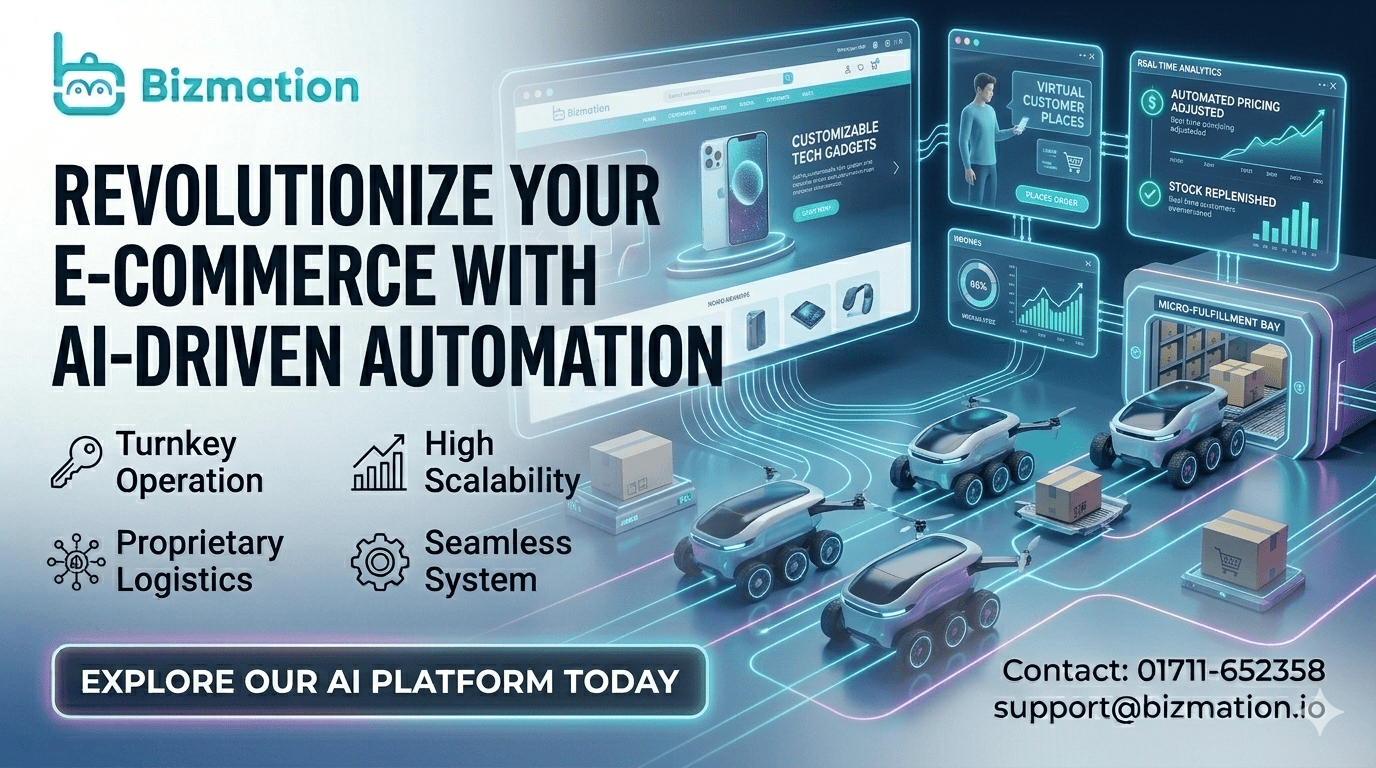
Running an online business in Bangladesh is exciting but can also be overwhelming. Managing products, processing orders, keeping up with marketing, and handling shipping or accounts—all these tasks can take up your whole day. Even worse, manual work leads to mistakes that cost you money and hurt your reputation. But what if you could let technology handle most of this for you? That’s where e-commerce automation comes in. With the right tools and smart workflows, you can save time, reduce errors, and grow your profits—even if you are a small business owner.
This guide will help you understand how automated e-commerce websites work, why automation is now essential for Bangladeshi entrepreneurs, and how you can use it to build a business that runs smoothly and grows fast. Whether you sell on your own site or on big platforms like Amazon or Walmart, automation is changing the game for everyone. Let’s explore how you can use it to your advantage.
E-commerce automation means using software and smart systems to handle tasks that are usually done by people in an online store. Instead of doing everything by hand, you set up tools that work for you 24/7. Examples include sending marketing emails, updating stock levels, processing orders, and creating invoices automatically.
In simple words, automation lets your website or online store “run itself” as much as possible. This is important for Bangladeshi business owners who want to compete with international brands and focus on growth instead of routine work.
Automated systems can be set up once and then perform thousands of small actions for you every day. For example, if a customer buys a product at midnight, your site can confirm their order, send them a receipt, and update your stock—while you sleep.
This is especially helpful during holidays or busy seasons, when manual work becomes impossible to handle.
Automation also makes it easier to manage a large catalog of products or handle several sales channels at once. Imagine trying to update prices or descriptions for 200 products across Facebook, your website, and Daraz—by hand, this could take days.
With automation, these changes happen everywhere in minutes.
Automating your online business offers several big advantages:
Saves time: No more repeating the same work every day.
Reduces errors: Machines don’t get tired or distracted, so there are fewer mistakes in orders, shipping, and accounting.
Boosts profits: You can handle more orders with the same team, and you waste less money on manual errors or missed sales.
Improves customer experience: Faster order processing and clear communication make customers happier.
Supports growth: Automation makes it easier to scale your business as you get more customers or add new products.
Let’s look deeper at these benefits with real examples.
Saving Time: Imagine you receive 30 orders a day. If each order requires five minutes to process manually, that’s 150 minutes (2.5 hours) daily just for order processing. Automation can reduce this to a few clicks, freeing up your time for marketing or product development.
Reducing Errors: Human error is common when you’re tired or in a rush. For example, you might ship the wrong product or forget to update inventory. Automation cuts these mistakes by following rules exactly every time.
Boosting Profits: When your store runs smoothly, you can handle more customers and orders with the same resources. Plus, automated marketing can bring back customers who might forget about you.
Improving Customer Experience: Fast, accurate communication makes customers trust you. Automation ensures customers get quick order updates, shipment tracking, and even follow-up emails asking for reviews.
Supporting Growth: As your business grows, so do the number of tasks. Automation means you don’t need to hire lots of new staff just to keep up. For example, if your sales double, automation keeps working without complaint.
Non-obvious insight: Many new business owners believe automation is only for big companies. In reality, even a one-person shop can use automation tools to compete with large brands.
Many successful online businesses started small but grew fast by using automation early.
Different parts of your online business can be automated. Some areas are more important than others, especially if you want to save time and avoid mistakes. Let’s look at the main types of e-commerce automation and how they work.
Marketing can take a lot of your time—posting on Facebook, sending emails, making ads, and following up with customers. Marketing automation helps you reach more people with less effort.
Email marketing automation: Set up emails that send automatically when a customer signs up, abandons a cart, or makes a purchase. For example, you can send a thank-you email or a discount offer without lifting a finger.
Social media scheduling: Use tools to plan and schedule your Facebook, Instagram, or WhatsApp posts in advance. This keeps your audience engaged even when you’re busy.
Personalized campaigns: Automation tools can segment your customers and send them special offers or recommendations based on their behavior.
Let’s break these down a bit further.
Email Marketing Automation: Suppose a customer adds a product to their cart but doesn’t check out. An automated email can remind them about the cart, maybe offer a small discount, and bring them back to complete the purchase. This simple workflow can recover sales that would otherwise be lost.
Social Media Scheduling: Instead of posting every day at the same time, you can create a week’s worth of posts on Sunday night. Tools like Buffer or Facebook’s own scheduling system will post at the right times, even if you’re busy or offline.
Personalized Campaigns: Automation lets you send different messages to new customers, repeat buyers, or VIPs. For example, after a customer’s third purchase, an automatic email can send them a thank-you coupon.
A recent study showed that automated emails have a 70% higher open rate than regular newsletters. This means more sales and better relationships with your customers.
Non-obvious insight: Automated marketing isn’t just about saving time. It allows you to test and improve your messages. You can see which emails get the most clicks or which Facebook posts bring the most sales, then do more of what works.
Processing each order by hand is slow and risky. Order automation tools help you:
Confirm orders instantly: As soon as a customer pays, they get an automatic confirmation email.
Update stock levels: Inventory counts are updated in real-time, so you never sell out-of-stock items.
Send orders to suppliers or warehouses: If you use dropshipping or third-party fulfillment, orders can be sent automatically to the right place.
Let’s look closer at these benefits.
Instant Confirmation: Customers expect to know their order went through right away. With automation, confirmation is sent immediately, which builds trust and reduces “where is my order?” emails.
Real-Time Inventory Updates: If you sell on multiple platforms (your website, Facebook, Daraz), automation updates your stock everywhere as soon as a sale happens. This prevents the problem of selling an item you don’t have.
Supplier and Warehouse Orders: For dropshippers or stores with multiple warehouses, automation sends order details to the right place. No more copying and pasting addresses or product details—this reduces mistakes and speeds up shipping.
Order automation is especially useful during busy shopping seasons. You can process hundreds of orders per day without hiring more staff.
Pro tip: Even small stores can use order automation to handle flash sales or promotions, ensuring no customer is left waiting.
Shipping mistakes can lead to unhappy customers and lost money. Shipping automation tools solve many common problems:
Print shipping labels automatically: As soon as an order is ready, the system creates and prints the right label.
Choose the best shipping method: Some tools can compare couriers and pick the fastest or cheapest option.
Send tracking information: Customers get automatic updates about their delivery status.
Let’s break down why this matters.
Automatic Shipping Labels: If you print labels by hand, you might make a typo or miss an address. Automation fills in the correct info every time, reducing delivery errors.
Choosing the Best Courier: Some automation tools can compare prices and delivery times from different local couriers (Pathao, Sundarban, etc.) and pick the best one automatically. This saves money and speeds up delivery.
Tracking Updates: Customers want to know where their package is. Automated tracking emails or SMS keep them informed, which means fewer calls or messages for you to answer.
For Bangladeshi e-commerce, working with local couriers like Pathao, Sundarban, or Steadfast becomes much easier when you use automation.
Non-obvious insight: Shipping automation can also help you spot delivery problems early. For example, if a package hasn’t moved in two days, the system can alert you to check with the courier before the customer complains.
Manual accounting is slow and easy to mess up. Accounting automation can:
Create invoices automatically: Each order gets a professional invoice sent to the customer.
Sync sales data with accounting software: Your sales, refunds, and fees are recorded automatically.
Track tax and VAT: Automation helps you stay compliant with Bangladesh’s tax rules.
Automating your accounts lets you focus on strategy instead of paperwork—and you are ready for audits or bank loans at any time.
Automated Invoices: Customers receive proper invoices without you having to make each one by hand. This looks professional and keeps your records in order.
Syncing Data: Instead of collecting daily sales data and entering it into Excel, automation sends it directly to your accounting software. This means your records are always up to date.
Tax and VAT Tracking: Bangladesh has specific rules for VAT and taxes on e-commerce sales. Automation tools can automatically track sales by region and add the correct tax, helping you avoid fines or legal trouble.
Non-obvious insight: Good accounting automation also helps with cash flow. You’ll know, day by day, how much money is coming in, what fees you’re paying, and where you can cut costs.

Understanding the value of e-commerce automation is one thing, but seeing how it actually impacts your business is another. Here’s why more Bangladeshi online store owners are moving to automated systems.
Order Processing: Without automation, processing an order—checking payment, updating stock, sending confirmation—can take 5-10 minutes. With automation, it happens instantly.
Marketing: Scheduling a month of Facebook posts manually could take hours. Automation tools can do this in minutes.
Accounting: Reconciling sales at the end of the month is tedious. Automated systems keep everything organized daily.
Deeper Example: For a business selling 50 orders per day, saving five minutes per order means 250 minutes (over four hours) saved daily. Over a month, that’s 120 hours—time you could spend on improving products or finding new customers.
Marketing Example: If you want to wish customers happy Eid or New Year, automation lets you send personalized messages to thousands of people at once, rather than writing them one by one.
Accounting Example: Automation means you don’t have to search for missing invoices or sales records. Everything is organized and ready for tax time.
Manual data entry: Typing order details into spreadsheets leads to mistakes. Automation pulls data directly from your store.
Shipping addresses: Automated systems validate addresses, reducing delivery failures.
Stockouts: Real-time inventory updates mean you don’t sell items that are out of stock.
Deeper Example: One wrong digit in a customer’s address can send a package to the wrong city. Automation checks addresses and can even suggest corrections, saving you from lost packages and unhappy customers.
Inventory Example: If someone buys the last piece of a product, automation marks it as “out of stock” instantly everywhere you sell. No more angry customers who paid for something you can’t deliver.
Non-obvious insight: Fewer errors also protect your brand reputation. Customers are more likely to recommend your store if every order is correct and on time.
Faster order fulfillment means happier customers and more repeat business.
Automated upselling and cross-selling (such as recommending related products in emails) increases the average order value.
Lower labor costs: You don’t need a big team to handle more orders.
Deeper Example: If you deliver orders faster, customers are more likely to buy from you again. Automation lets you process and ship orders the same day, even during sales.
Upselling Example: When a customer buys a phone, automated emails can suggest a matching case or earphones. This increases your revenue without extra effort.
Labor Cost Example: With automation, a single person can manage hundreds of orders per day. You only need to hire more staff when you want to expand or offer more support.
One Bangladeshi store owner reported a 30% increase in monthly sales after setting up basic marketing and order automation.
You don’t have to automate everything at once. Start with the most time-consuming tasks, then add more as you grow. Here’s how to get started:
List all the daily and weekly tasks you do in your online business. Examples:
Sending order confirmation emails
Posting product updates on Facebook
Updating inventory
Creating invoices
Deeper Example: Think about tasks that frustrate you or take up your evenings. Maybe you spend too much time answering the same customer questions, or you worry about missing orders. These are good candidates for automation.
Non-obvious insight: Sometimes the most “hidden” time-wasters are small tasks you don’t even notice. Try tracking your work for one week and you’ll see where automation can help most.
Pick automation tools that fit your platform (Shopify, WooCommerce, Magento, etc.). Some popular options:
Email automation: Mailchimp, Klaviyo
Order and inventory: TradeGecko, Zoho Inventory
Shipping: AfterShip, ShipStation
Accounting: QuickBooks, Xero
For Bangladeshi businesses, look for tools that support local payment gateways and couriers.
Deeper Example: If you use WooCommerce, choose tools with Bangla language options or those that can handle bKash payments. If you sell mostly on Facebook, pick social media tools that support Messenger automation.
Expert tip: Ask other Bangladeshi entrepreneurs what tools they use, or join local business groups to get recommendations.
Most automation tools work with “triggers” (when something happens) and “actions” (what to do next). For example:
When a customer pays → send a confirmation email
When stock falls below 10 → send a reorder alert
Deeper Example: You can create a workflow where, after a customer’s second purchase, they get a loyalty discount email. Or, if an order is delayed, the system can notify you to check with the courier.
Non-obvious insight: Start simple. Set up one workflow at a time, test it, and then add more. This prevents confusion and makes it easier to fix problems.
After setting up automation, test each workflow to make sure it works. Monitor results and tweak your settings as needed.
Deeper Example: Place a test order to see if all the emails, updates, and invoices are sent correctly. Ask a friend to check if the shipping label is accurate. If something is wrong, fix it before going live.
Expert tip: Check your automated messages every few months. Sometimes products, prices, or policies change, and you need to update your workflows.
As you grow, automate more complex tasks, like:
Abandoned cart recovery emails
Customer reviews requests
Loyalty program management
Two insights that beginners often miss:
Not all automation is “set and forget.” Regularly review your automated workflows to catch errors or outdated messages.
Integration matters: Make sure your tools “talk” to each other. The best automation happens when your website, inventory, shipping, and accounting systems are connected.
Deeper Example: As your store adds more products or starts selling internationally, you might need to automate currency conversion, language translation, or international shipping rules.
Pro tip: Look for automation tools that can grow with you. Some platforms let you add new features or connect with other apps as your needs change.
A smooth workflow means every step, from customer order to delivery, happens without bottlenecks. Here’s how automation improves each stage:
Lead capture: Automatically add new subscribers from your website or social media to your marketing list.
Customer segmentation: Group customers by behavior (new, repeat, VIP) and send targeted messages.
Deeper Example: When someone signs up for updates on your website, automation adds them to your email list and sends a welcome email. If a customer hasn’t bought in 60 days, they receive a “We miss you” coupon.
Non-obvious insight: Segmented emails can double your sales compared to sending the same message to everyone.
Order routing: Send orders to the right warehouse or dropshipping supplier.
Fraud detection: Use automation to flag suspicious orders for review.
Deeper Example: If you store products in both Dhaka and Chattogram, automation can send each order to the nearest warehouse, reducing delivery time and cost.
Fraud Example: Automation can check for signs of fake orders—like mismatched addresses or rapid repeat purchases—and alert you before shipping.
Batch processing: Handle multiple orders at once, print labels in bulk, and update tracking numbers.
Returns management: Automate return requests and refunds.
Deeper Example: On a busy day, you can print 100 shipping labels with one click, instead of doing them one by one.
Returns Example: If a customer requests a return, the system can send them instructions automatically and notify your team to expect the package.
Automated feedback requests: Ask customers for reviews after delivery.
Support ticket routing: Direct customer questions to the right team member.
Deeper Example: Three days after delivery, the system emails customers asking for a review, helping you collect more ratings.
Support Example: If a customer emails about a missing package, automation can forward the message to your shipping team, speeding up replies.
A typical manual workflow might look like this:
Receive order via website
Check payment manually
Update inventory in Excel
Print shipping label by hand
Send tracking info by email
An automated workflow handles all of this in seconds, freeing you to focus on growing your business.
Non-obvious insight: Smooth workflows also reduce stress. When you don’t have to remember dozens of tasks or worry about missing something, you can plan for the future and enjoy your work more.
Scaling means growing your business without increasing your workload or costs at the same rate. Automation is the secret to scaling successfully.
If you try to handle more orders, products, or customers by doing everything manually, you will quickly run into problems:
Overworked staff: Mistakes increase as volume grows.
Missed sales: Slow response times frustrate customers.
Hard to expand: Adding new products or channels means even more manual work.
Deeper Example: As your store grows from 10 to 100 orders a day, each new order adds more work. Soon you’re spending all your time just trying to keep up. This leaves no time for planning, marketing, or improving your business.
Non-obvious insight: Even if you hire more staff, manual processes are hard to manage. People get sick, take holidays, or make mistakes. Automation never takes a day off.
With automation:
You can handle 10x more orders with the same team.
Expanding to new channels (like selling on Amazon or Walmart) is easier because you don’t duplicate work.
Data-driven decisions: Automated reports help you see what’s working and what’s not, so you can invest in the right areas.
Here is a comparison showing how automation helps as you scale:
|
Business Size |
Manual Operations |
Automated Operations |
|---|---|---|
|
Small (10 orders/day) |
Manageable by one person |
Very fast, easy to manage |
|
Medium (100 orders/day) |
Needs several staff, prone to errors |
Handled easily by automation tools |
|
Large (1000+ orders/day) |
High risk of mistakes, delays, burnout |
Scalable, consistent, less stress |
Deeper Example: Automated reporting can show you which products sell best, which ads bring the most customers, and which staff are most productive. This lets you make better decisions about marketing, inventory, and hiring.
Non-obvious insight: Automation also makes it easier to add new sales channels or expand internationally. For example, you can sell on Amazon US and Daraz Bangladesh at the same time, with orders and inventory synced everywhere.
Many Bangladeshi sellers dream of reaching global markets through platforms like Amazon and Walmart. These platforms already use advanced automation, and you can plug your business into them.
Amazon sellers use automation for:
Inventory syncing: Keeping stock levels updated across multiple warehouses
Order fulfillment: Using Fulfillment by Amazon (FBA) to pick, pack, and ship orders automatically
Pricing tools: Automatically adjust prices to stay competitive
Some agencies offer “Amazon automation” services, setting up and managing everything for you. But be careful—choose reputable agencies and understand the risks.
Deeper Example: With FBA, you send your products to Amazon’s warehouse. When an order comes in, Amazon handles packing, shipping, and even customer service. Automation tools also adjust your prices based on competitor activity, helping you win more “Buy Box” placements.
Non-obvious insight: Amazon automation can connect with your own website, so you keep all inventory updated everywhere. This prevents overselling and customer disappointment.
Walmart’s online marketplace works similarly to Amazon, with automation for:
Order routing: Send orders to the nearest warehouse
Performance tracking: Automated alerts for low inventory or late shipments
Bulk listing tools: Upload many products at once
Selling on these platforms requires strict standards for shipping speed and customer service. Automation helps you meet those standards and grow faster.
Deeper Example: Walmart Marketplace penalizes slow sellers. Automation ensures you stay on top of orders, inventory, and customer questions to maintain your ranking.
Expert tip: Use bulk listing tools to add hundreds of products to Walmart in minutes. Automation can also update prices and descriptions across all your channels.
You don’t have to sell on Amazon or Walmart to benefit from automation. Local Bangladeshi platforms like Daraz, AjkerDeal, and Pickaboo also support many automated features.
Deeper Example: Daraz offers seller tools for bulk product uploads, automated order tracking, and instant payments. Using these tools can give you an edge over sellers who still do everything by hand.
Expert tip: Start automating your own website first, then use similar tools when expanding to big marketplaces.
Non-obvious insight: When you use automation everywhere, you can compare sales and performance across platforms. This helps you decide where to invest your time and money for the highest return.
Let’s see how Bangladeshi businesses use automation to win in a competitive market.
A Dhaka-based clothing brand used to spend 4-5 hours daily updating Facebook, answering customer questions, and processing orders. After switching to automation:
Social media posts are scheduled for the whole month
Customers get instant order confirmations and tracking info
Inventory and accounting sync automatically
Result: The owner cut daily workload in half and grew sales by 40% in six months.
Deeper Example: By using Messenger chatbots, the brand answers common questions instantly (size, color, delivery time), even at night. This means fewer missed sales, especially during peak hours.
A small electronics dropshipper struggled to manage stock and orders from three different suppliers. Automation tools helped them:
Sync inventory with suppliers’ warehouses
Route orders automatically to the right supplier
Send real-time shipping updates to customers
Result: Fewer stockouts, faster shipping, and better reviews.
Deeper Example: The store uses automation to check supplier stock every hour. If a product runs out, the website updates to “out of stock” and hides the “Buy” button. This prevents selling items they can’t deliver.
A Bangladeshi home décor business started on their own site, then expanded to Amazon and Walmart using automation tools:
Product listings updated across all platforms at once
Orders from all channels managed in one dashboard
Automated pricing tools kept products competitive
Result: Sales grew 3x without hiring new staff.
Deeper Example: The business uses automatic review requests to collect hundreds of positive ratings on Amazon and Walmart, boosting trust and sales.
Non-obvious insight: Each example shows that automation isn’t just about doing things faster—it also improves customer satisfaction and makes your brand more competitive.
The right automation tools depend on your business size, products, and where you sell. Here is a side-by-side comparison of popular options:
|
Tool |
Main Function |
Best For |
Bangladesh Support |
|---|---|---|---|
|
Shopify Flow |
Workflow automation |
Shopify stores |
Partial (depends on integrations) |
|
Mailchimp |
Email marketing |
All platforms |
Yes |
|
Zoho Inventory |
Inventory/order management |
Multi-channel sellers |
Yes |
|
QuickBooks |
Accounting |
All business sizes |
Yes (with local banks) |
|
Bizmation |
Full e-commerce automation |
Bangladeshi businesses |
Yes (local focus) |
Deeper Example: Mailchimp can send “welcome” emails, birthday messages, or abandoned cart reminders automatically. Zoho Inventory lets you manage stock for your website, Facebook Shop, and Daraz from one dashboard.
Non-obvious insight: Many tools offer free trials—test before you commit. Also, local support and integration with Bangladeshi payment or delivery services is a huge plus.
Pro tip: Before paying for any tool, check online reviews and ask for a demo. Make sure it can grow with your business and handle your specific needs.
While many global tools are helpful, Bangladeshi entrepreneurs often face unique challenges: local payment gateways, courier systems, and language barriers. This is where Bizmation (bizmation.io) stands out as a leading e-commerce automation agency.
Inventory Management: Keep your stock updated in real-time across all your sales channels. No more overselling or running out of bestsellers.
Fraud Order Filtering: Bizmation’s smart system can spot and flag suspicious or fake orders, protecting you from costly scams.
One-Click Landing Pages: Create high-converting product or campaign pages instantly—no coding needed.
Seamless Integration: Works with popular Bangladeshi payment gateways and courier services.
Local Support: Get help in Bangla or English, with a deep understanding of the local market.
Deeper Example: If you’re running a flash sale, Bizmation can handle thousands of orders per hour, route them to the right couriers, and keep your inventory correct in real-time—even if you sell on Facebook, your website, and Daraz at the same time.
Non-obvious insight: Bizmation’s fraud detection can spot patterns that humans might miss, such as repeated orders from fake phone numbers or addresses known for scams.
By automating the hardest parts of your business, Bizmation lets you:
Focus on marketing and strategy, not admin work
Reduce order errors and chargebacks
Handle more customers without hiring more staff
Here’s how a typical Bizmation-powered workflow looks:
|
Step |
Manual Process |
Bizmation Automation |
|---|---|---|
|
Order Received |
Check and confirm by hand |
Instant confirmation, fraud check |
|
Inventory Update |
Update spreadsheet manually |
Automatic real-time sync |
|
Shipping |
Book courier and update tracking |
Auto-book courier, send tracking |
|
Accounting |
Enter data monthly |
Auto-sync with accounting tools |
Deeper Example: If a customer places a large or unusual order, Bizmation can automatically flag it for review, reducing your risk of fraud or chargebacks.
Expert tip: Bizmation is ideal for both new and established online stores in Bangladesh. Even if you have a small team, you can compete with the biggest e-commerce brands.
Automation is powerful, but there are a few traps to watch out for:
Over-automating: Don’t remove all personal touches—customers still appreciate real human support.
Ignoring updates: Automation tools need to be updated and checked regularly to avoid errors.
Not testing workflows: Always test before going live to catch mistakes.
Poor integration: Choose tools that work well together, or you’ll spend more time fixing problems.
Skipping analytics: Use the data from automation to improve your business, not just to “set and forget.”
Deeper Example: If you automate all messages, customers may feel ignored when they have a special request. Always keep a way for them to contact a real person.
Ignoring updates: If you change your products or prices but forget to update your automated emails, customers may get wrong information, leading to confusion or lost sales.
Non-obvious insight: Sometimes automation creates new problems—like double emails or conflicting updates. Regularly review your workflows and ask customers for feedback.
Pro insight: Even the best automation can’t fix a bad product or poor customer service. Use automation as a tool, not a replacement for quality.
Bangladesh’s e-commerce market is growing fast, but competition is fierce. If you want to save time, reduce mistakes, and grow your profits, automation is no longer optional—it’s essential. Start small, focus on the biggest time-wasters, and choose tools that fit your business and local needs.
Ready to take your business to the next level? Automate your e-commerce with Bizmation for smarter, faster, and more profitable growth. With features like real-time inventory, fraud filtering, and one-click landing pages, you’ll stay ahead of the competition and delight your customers. Visit Bizmation to get started today.
E-commerce automation uses software to handle repetitive tasks in your online store. For example, it can automatically send order confirmation emails, update inventory, or create invoices. This saves time and reduces mistakes, letting you focus on growing your business.
Deeper Example: You can set up your store to send a “thank you” email after every purchase and remind customers to leave a review—without lifting a finger.
Yes. Leading automation tools and agencies like Bizmation are designed to integrate with popular Bangladeshi payment gateways (like bKash and Nagad) and local courier services. Always check tool compatibility before starting.
Deeper Example: Some tools can even split payments or track cash-on-delivery orders, which are common in Bangladesh.
Automation can handle routine work, but it won’t replace the personal touch. Use automation to free up your team’s time for better customer support, faster problem-solving, and more creative work.
Deeper Example: Let automation answer simple questions (like delivery times or return policies), while your team handles complex requests.
The main risks are over-automation (losing personal touch), choosing tools that don’t integrate well, and not checking workflows regularly. Start small, test everything, and use automation as a support—not a full replacement—for your business.
Deeper Example: If you automate refunds without checks, you might pay out for fake requests. Always include review steps for sensitive actions.
Look for tools that support your e-commerce platform, local payment/courier systems, and have good reviews. Local agencies like Bizmation can help you choose and set up the best solutions for your needs. For more insights, check resources like Wikipedia’s e-commerce overview.
Deeper Example: If you sell mainly on Facebook, pick tools with Messenger support. If you want to expand internationally, choose tools that handle multiple currencies and languages.
Automate today, and watch your e-commerce business in Bangladesh grow smarter, faster, and bigger than ever before.

