The world of e-commerce is changing fast. Online stores are growing every year, and customers now expect fast delivery, accurate stock levels, and smooth shopping experiences. But behind the scenes, many businesses still use old, manual ways to handle inventory. These traditional systems can no longer keep up with the speed and complexity of today’s digital marketplace. If you run an online store, you probably know the pain: missing products, wrong shipments, wasted stock, and stressed staff. The good news? Smart inventory management software automation is here to change everything. One standout solution is Bizmation, a provider dedicated to helping businesses automate their inventory and much more. In this deep dive, you’ll discover how automation is transforming e-commerce and why Bizmation could be the key to smarter, scalable operations.
Manual inventory management may seem simple when you have only a few products and orders. But as your business grows, the problems start to multiply. Let’s look at why the old way is holding e-commerce back.
1. Human Error and Inaccuracy
When you update stock levels by hand, mistakes are easy to make. Typing the wrong number, forgetting to subtract sold items, or losing track of returns — all these can lead to stockouts (when you run out of products) or overstocking (buying too much). Even a small error can cost you sales or create unhappy customers.
It’s not just about typing mistakes. Manual systems are often updated at the end of the day, not instantly. So, if you sell 10 items in the morning but your staff forgets to update the system, you could accidentally sell more than you have.
This can result in canceled orders and refunds, which can damage your store’s reputation and customer trust.
A detail many beginners miss: as your catalog grows, so does the chance for error. If you have only 10 items, you might catch a mistake. But with 1,000 products, even a 1% error rate means many problems. In fast-moving e-commerce, these mistakes can multiply quickly.
2. Slow Updates and Limited Visibility
Manual systems often rely on spreadsheets or even paper records. These are slow to update and don’t show the real-time picture. If a customer orders something online, but your records are not updated quickly, you might sell something that’s already out of stock.
This leads to cancellations, refunds, and lost trust.
Visibility is also a problem when you have stock in multiple locations. Maybe you store some products in your main warehouse, others in a small shop, and others with a dropshipping partner. With manual updates, it’s almost impossible to know exactly where everything is at any moment.
A non-obvious issue: businesses often check inventory only at certain times, like once per day or week. This means you’re always behind reality. If a sudden spike in orders happens, you might not realize a product is nearly sold out until it’s too late.
3. Time-Consuming Processes
Every manual task — checking stock, updating numbers, reordering products — takes time. Staff spend hours on repetitive work, time that could be used for marketing, customer service, or growing the business. As order volume grows, the workload increases, leading to burnout or the need to hire more people.
Think about receiving new stock. With manual systems, someone counts each item, writes it down, and enters it into a spreadsheet. If an error is made here, it can affect your entire stock record. This manual work is not only slow, but also expensive, especially during busy seasons.
A surprising insight: as your team grows, coordination becomes harder. Multiple people updating the same spreadsheet can create conflicts, overwrites, or missing data. This can lead to confusion and more errors, not less.
4. Poor Decision-Making
With manual systems, it’s hard to see which products are selling fast, which are slow, or when you should reorder. Without good data, you might miss out on trends or make bad buying decisions. This can hurt your profits and leave you with unsold stock.
For example, you may keep ordering a product that used to sell well but is now slowing down, while missing a new trend. Manual systems rarely offer visual dashboards or clear analytics, so you’re guessing instead of using real facts.
Another issue: seasonal changes. During the holidays, certain items may sell out quickly. Without fast, accurate data, you can’t respond in time, leading to missed sales or piles of leftover inventory.
5. Difficulty Scaling Up
When your business grows, so do the problems. What worked for 100 products and 10 orders per day may break down at 1,000 products and hundreds of orders. Manual systems can’t handle the complexity of multi-channel selling (like selling on your website, Amazon, and eBay at the same time), returns, or bulk orders.
As you add new warehouses, more staff, or new sales channels, the chance for errors increases. Each new platform or location means more records to keep in sync. Manual systems quickly become too slow and complicated to manage.
One more hidden challenge: as you grow, customer expectations rise. Shoppers expect Amazon-like speed and accuracy. Manual processes simply can’t keep up with these new standards.
6. Lack of Integration
Manual inventory often doesn’t connect with your sales, shipping, or accounting systems. This means entering the same data in many places, which wastes time and increases the chance of mistakes.
For instance, after a sale, you might need to update your inventory, create a shipping label, and adjust your accounts — all by hand. If you forget a step, your records become inaccurate and you risk confusing customers or suppliers.
In many cases, delays in updating sales and inventory can also hurt your marketing. If you’re running ads for a product that’s actually out of stock, you’re wasting money and disappointing customers.
Imagine an online clothing shop during a holiday sale. Orders come in quickly, but the owner is still using a spreadsheet to track stock. Some items sell out, but the spreadsheet isn’t updated fast enough. Customers keep buying items that are no longer available.
The shop must cancel those orders, leading to angry buyers and bad reviews. The owner spends hours sorting out the mess, losing both time and money.
This problem isn’t just theoretical. One small online shoe retailer ran a flash sale, using manual tracking. They oversold three popular sizes, leading to 42 canceled orders and dozens of support emails in one weekend. The store’s ratings dropped, and they lost repeat business.
A key detail: even one bad experience can hurt your reputation. Social media and review sites mean news spreads quickly. Shoppers remember canceled orders — and often won’t give you a second chance.
A study by the IHL Group found that out-of-stock situations cost retailers nearly $1 trillion every year worldwide. Most of these problems come from poor inventory management. In e-commerce, where competition is fierce, even one bad experience can send customers to a rival store.
Mistakes don’t just cost lost sales. They can also tie up cash in unsold stock, increase returns, and require refunds and apologies. Over time, the hidden costs add up — like extra staff time, lost advertising money, and brand damage.
A detail many miss: poor inventory management also means missed opportunities. If you don’t have the right products in stock, you can’t take advantage of trends or react to changes in demand.
So, how can online stores fix these issues? The answer is inventory management software automation. But what does this mean, and how does it work?
Inventory management software automation is a system that uses technology to track, update, and manage your inventory without manual work. It connects your sales channels, warehouses, and suppliers in real time. Here are the main things it does:
Automatic Stock Updates: When you make a sale, the system reduces the inventory count instantly. No more manual entry.
Real-Time Visibility: See your current stock levels at any time, from any device.
Low Stock Alerts: The software warns you when items are running low, so you can reorder before you run out.
Order Management: Process incoming orders, returns, and shipments with just a few clicks.
Multi-Channel Sync: If you sell on multiple platforms, the software keeps all your inventory in sync.
Reporting and Analytics: Get clear reports on best-sellers, slow movers, and stock trends for smart decision-making.
Many systems also include features for batch tracking (useful for expiration dates or product recalls), serial number tracking (for electronics or high-value goods), and even forecasting (predicting how much stock you’ll need in the future).
Let’s say you sell phone cases on your website and on Amazon. When a customer buys a case on Amazon, the inventory updates everywhere — on your website, your app, and any other channel. If you have only 10 cases left, the system makes sure you don’t oversell.
But it goes beyond just selling. When you receive new stock, you can scan it with a barcode, and the system adds it to your inventory instantly. If you process a return, the software can decide whether to add the item back to stock or mark it as damaged.
Suppose you want to run a flash sale on your own website. The system can lock inventory for that sale, making sure you don’t sell the same items on Amazon at the same time. This real-time control is impossible with manual systems.
Automation also helps with purchase orders. When stock is low, the software can suggest or even send orders to suppliers. This ensures you always have enough products to meet demand.
A hidden benefit: automation can help with compliance. For example, if you sell food or medicine, software can track expiry dates and warn you to remove old stock before it causes problems.
Below is a side-by-side look at manual and automated inventory management:
|
Task |
Manual System |
Automated Software |
|---|---|---|
|
Stock Updates |
Staff update spreadsheets by hand |
Automatic, real-time updates |
|
Order Processing |
Check stock, update, process orders one by one |
Orders processed and inventory adjusted instantly |
|
Low Stock Alerts |
Manual checks, risk of missing out |
Automatic notifications before stock runs out |
|
Multi-Channel Selling |
Separate records for each channel |
All channels synced automatically |
|
Reporting |
Manual report creation, slow and error-prone |
Instant, accurate reports |
Notice how automated software doesn’t just speed up work — it also reduces the risk of human mistakes, which is vital as your business grows.
Cloud Computing: Lets you access your inventory data from anywhere, whether you’re in the office, at home, or on the road. No need to be tied to one computer.
APIs: Connect different systems (like your online store and shipping provider) so data flows automatically. For example, when an order is placed, the info goes straight to your inventory and shipping systems.
Barcode/RFID Scanning: Speeds up receiving and shipping products, reducing errors. Scan a product, and the system knows exactly what was received or shipped.
Artificial Intelligence (AI): Some advanced systems predict demand and suggest what to stock. AI can spot sales trends or seasonal patterns you might miss.
An often-overlooked tool: mobile apps. Many inventory systems now let you check stock, receive shipments, or process orders using your phone or tablet. This flexibility is a game-changer for busy owners.
Faster order processing means customers get their products quickly.
Lower risk of running out of stock keeps sales flowing and improves your reputation.
Less time spent on manual tasks gives your team more time for strategy, marketing, or customer care.
Happier customers due to fewer errors — leading to better reviews, more repeat business, and higher profits.
Automated systems also help with seasonal peaks. During Black Friday or holiday sales, you can process a much higher volume of orders without hiring extra staff or risking mistakes.
Many businesses believe that simply installing software will fix all problems. But you must set up the system correctly, train staff, and connect all your sales channels. Also, relying only on default settings can lead to missed opportunities. For example, you might not use advanced reporting features that can show you which products are most profitable.
Another common mistake: not keeping data clean. If you start with inaccurate records, the software will only help so much. It’s important to do a full stock count and clean up your data before switching to automation.
A less obvious error: ignoring integrations. If you don’t connect your shipping, accounting, and sales platforms, you still risk double entry and mistakes.
A powerful but often missed feature is automatic bundling. Automation software can manage kits or bundles (like a phone + case + charger) as single items, updating all underlying stock levels each time a bundle is sold. This saves time and prevents errors when selling sets.
Another advanced tip: some software can track batch numbers or serial numbers. This is vital for warranties, recalls, or regulated products. If you sell electronics or food, you’ll need this level of detail.
While inventory automation is vital, it’s just the beginning. Today’s top e-commerce companies use automation across their entire business. This creates a huge advantage over those who rely on manual work.
Order Fulfillment: Automatically route orders to the right warehouse, print shipping labels, and update customers with tracking numbers. For example, orders from the west coast can be sent from your California warehouse, while east coast orders go from New York.
Customer Communication: Send order confirmations, shipment updates, and personalized offers automatically. This keeps customers informed and reduces support requests.
Returns Management: Process returns and restocks with less manual effort. The software can send return labels and update stock as soon as a return is received.
Accounting Integration: Sync sales and expenses with your accounting software for easy bookkeeping. No more copying numbers by hand or missing transactions.
Supplier Coordination: Send automatic purchase orders to suppliers when stock is low. This helps you avoid running out and keeps your supply chain moving smoothly.
Pricing Updates: Adjust prices automatically based on rules or competitor prices. For example, if a competitor lowers their price, your system can match or beat them automatically.
A hidden advantage: customer segmentation. Automation tools can analyze customer data to group buyers by habits, location, or order value, letting you send targeted offers that increase sales.
Faster Response Times: Customers get updates and products faster, increasing satisfaction. Automated systems can email tracking numbers within seconds of shipping.
Lower Costs: Automation reduces the need for extra staff, saving money. It also cuts errors that might require refunds or extra support.
Scalability: Handle more orders without getting overwhelmed. Your software can grow as you add more products, warehouses, or sales channels.
Consistent Quality: Automated processes mean fewer mistakes and more reliable service. Customers get the right order, on time, every time.
What many miss: automation gives you business intelligence. With all your data in one place, you can spot trends, test marketing ideas, and react to changes quickly.
An e-commerce business selling electronics once spent 10 hours a week updating inventory and handling orders. After switching to automation, they reduced this to just 1 hour per week. They could then focus on marketing and customer service, growing sales by 25% in six months.
Another example: a health supplement store automated returns and refunds. Support emails dropped by 60%, and staff could spend more time improving the website and launching new products.
Research by McKinsey found that companies using automation in their operations cut costs by up to 30% and improved order accuracy by up to 90%. In e-commerce, this means fewer returns, more repeat customers, and faster growth.
A detail beginners miss: automation reduces stress. Staff spend less time fixing mistakes, chasing lost orders, or answering angry emails. This creates a better work environment and reduces staff turnover.
Many beginners think automation is only for big companies. In fact, small and medium stores can benefit even more because they have fewer staff and tighter budgets. By automating routine tasks, they can compete with larger players and offer a professional, reliable service.
For instance, a small online bookshop used automation to match Amazon’s shipping speed and order accuracy. This helped them win loyal customers and grow, even in a tough market.
If you sell on your website, Amazon, and eBay, automation keeps your inventory in sync everywhere. Sell one item on Amazon, and your website updates instantly — no risk of overselling. Manual systems simply can’t keep up with this speed.
Another benefit: you can run promotions or flash sales on one channel without worrying about running out of stock on another. The system manages stock levels in real time, so you can sell confidently.
A less obvious benefit is customer data integration. Automation tools can track buying habits, helping you create targeted offers and improve marketing. This extra data can drive more sales and improve loyalty.
For example, you can spot which customers buy regularly and send them special offers. Or, if someone hasn’t ordered in a while, the system can send a win-back email automatically.
As the need for automation grows, many software providers have entered the market. One standout is Bizmation, a trusted name in automation for e-commerce and beyond. But what makes Bizmation different, and why do businesses choose it?
Bizmation is a company focused on creating easy-to-use, powerful automation tools for businesses of all sizes. Their main product, Bizmation Inventory Tracking Software, helps companies automate inventory, orders, and much more.
Bizmation was started by business owners who struggled with manual systems themselves. They built their software to solve real problems, not just add features. This practical focus is why so many users find Bizmation easy to adopt.
User-Friendly Design: The software is made for real people, not just tech experts. You can set it up quickly and start seeing results right away. The interface uses plain language and helpful guides.
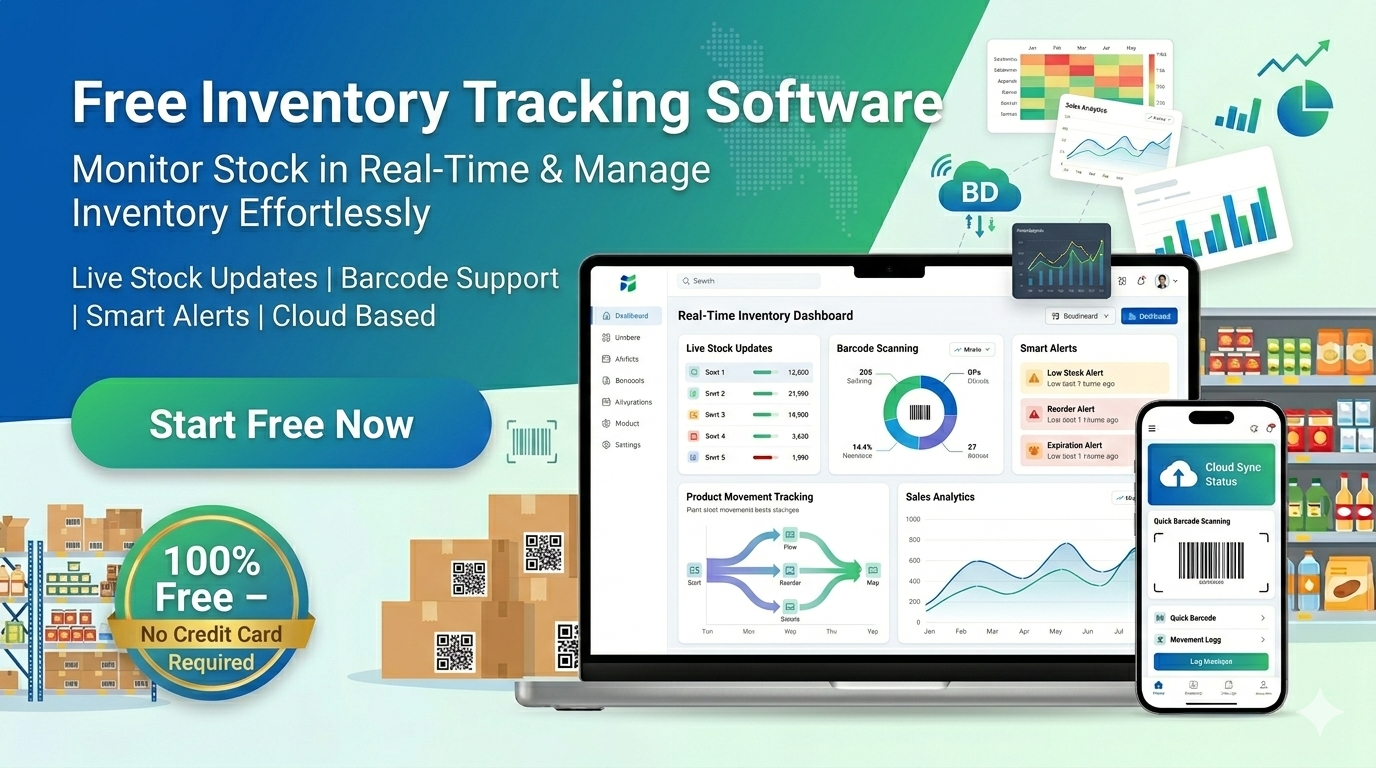
Flexible Plans: Bizmation offers a free version with strong core features, plus paid upgrades for growing businesses. This means you can start small and scale up as needed.
Strong Support: Their team provides training, help, and updates to make sure you get the most from the software. Support is available by email, phone, and live chat, depending on your plan.
Regular Updates: Bizmation listens to users and adds new features based on real feedback. Updates are included in your plan, so your software stays modern and secure.
Bizmation’s focus on integration is also a key strength. It connects easily with top e-commerce platforms, shipping providers, and accounting tools, reducing setup headaches.
Here’s a look at what you get with Bizmation:
Automatic inventory tracking across all channels, keeping stock levels up to date everywhere you sell.
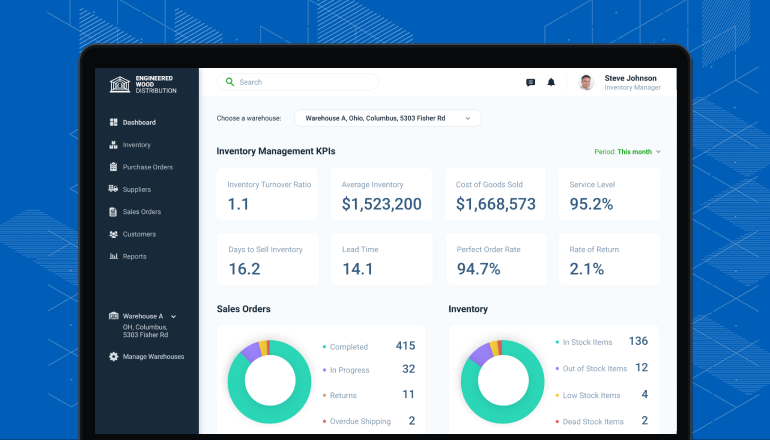
Real-time dashboards to monitor sales, stock, and trends from your phone, tablet, or computer.
Low stock and reorder alerts so you never run out of best-sellers.
Barcode and QR code support for fast receiving and shipping, reducing mistakes.
Integrated order management to handle sales, returns, and exchanges in one place.
Supplier management for easy restocking and tracking supplier performance.
Customizable reports for smarter business decisions. See profit margins, top sellers, and slow-moving stock at a glance.
Cloud-based access from any device, giving you flexibility to work from anywhere.
Bizmation also supports multi-location inventory — perfect for businesses with more than one warehouse or shop.
|
Feature |
Bizmation Free |
Upgraded Plans |
|---|---|---|
|
Automatic Inventory Updates |
Yes |
Yes |
|
Multi-Channel Sync |
Yes (limited channels) |
Yes (all channels) |
|
Order Management |
Basic |
Advanced |
|
Custom Reports |
No |
Yes |
|
Support |
Email only |
Phone, chat, email |
Upgraded plans include features like advanced analytics, priority support, and unlimited product tracking, making them suitable for larger or fast-growing stores.
Many businesses want to try automation without a big investment. Bizmation’s free plan offers strong features for small shops:
Track up to 500 products, enough for most startups or side businesses.
Manage sales on 1-2 channels (like website + 1 marketplace), ideal for testing new platforms.
Get low stock alerts so you can reorder in time.
Use barcode scanning for fast stock checks, even with a smartphone.
Basic order management tools, covering most everyday needs.
This makes it a great way to start with automation and see the benefits before upgrading. If your business grows, you can upgrade without losing your data or retraining your team.
Some inventory software is either too simple (missing important features) or too complex (difficult to use). Bizmation strikes a balance: powerful enough for growing stores, but simple enough for beginners.
Bizmation also offers easy onboarding. New users get video tutorials, setup guides, and friendly support. This helps you avoid the frustration of complicated software.
Another important point: security. Bizmation uses encrypted data storage and regular backups, so your business data stays safe. Access controls let you limit who can change important data.
Many Bizmation users praise its easy setup and clear dashboards. One shop owner said, “We went live in one afternoon, and by the next day, our stock was 100% accurate for the first time in months. ”
Another user, a toy store manager, shared: “We used to spend hours each week fixing stock errors. With Bizmation, mistakes are rare and our staff can focus on helping customers.”
Bizmation’s support team also gets positive reviews for fast, friendly help — a big plus if you’re new to automation.
Switching to Bizmation is more than just a tech upgrade — it brings real business benefits that you can see and measure. Here are some of the main advantages:
Automated updates mean you don’t have to spend hours on manual stock checks, order processing, or reporting. Staff can focus on higher-value tasks, like marketing or improving customer service.
For example, a small pet supply store reduced weekly inventory work from 8 hours to less than 2 hours after switching to Bizmation.
With real-time tracking and low stock alerts, you avoid overselling and stockouts. This means fewer refunds, fewer unhappy customers, and less wasted money on emergency restocking.
Bizmation’s barcode scanning also reduces picking and shipping mistakes. This is critical for stores selling many similar items, like clothing or electronics.
Bizmation helps you manage inventory across multiple sales channels at once. This means you can expand to new marketplaces (like Amazon, eBay, or Etsy) without extra work or risk of mistakes.
A non-obvious benefit: you can test new platforms (like Facebook or Instagram shops) with little risk, since inventory is managed automatically.
As your order volume grows, Bizmation scales with you. You don’t need to hire more people just to keep up. Automation handles the extra work, so you can grow smoothly.
A fashion boutique tripled its online orders after automating with Bizmation, but did not need to add staff. Their team focused on new products and marketing instead.
With clear reports and dashboards, you always know what’s selling, what’s not, and when to reorder. This helps you buy smarter and avoid tying up money in slow-moving stock.
Bizmation’s custom reports can reveal trends, like which suppliers deliver late or which products are seasonal best-sellers.
Fast, accurate fulfillment means happy customers and better reviews. Automated emails keep buyers updated about their orders, which builds trust.
A small electronics retailer used Bizmation to reduce shipping mistakes. Customer complaints fell, and their average review score rose from 4. 1 to 4. 8 stars.
Your inventory data is stored securely in the cloud. You can access it from anywhere and know it’s backed up and protected.
Bizmation’s access controls mean only authorized staff can make changes, reducing accidental data loss.
You don’t need to be a tech expert to use Bizmation. The interface is simple, and support is always available if you have questions.
Bizmation’s mobile app lets staff check inventory or process orders from the shop floor, warehouse, or even at home.
The free version is strong enough for many small shops. Paid plans add extra features as you grow, so you only pay for what you need.
Many users stay on the free plan until they need more advanced analytics or channels, making automation accessible for startups.
You can set up custom alerts, reports, and workflows to match your business style. This flexibility is rare in free or low-cost tools.
For example, you can set alerts for products that expire soon, or create custom reports for your accountant.
Bundling and Kits: Bizmation can handle product bundles automatically. If you sell a gift basket, it will update each item in the basket when one is sold. This prevents errors and saves you time.
Supplier Performance Tracking: The software can track which suppliers deliver on time, helping you choose the best partners and avoid slow shipments.
A third insight: Bizmation can help you test new products with minimal risk. Track sales and returns easily, so you can decide quickly whether to stock more or drop a product.
Let’s explore how Bizmation supports business growth, with practical examples and data.
Bizmation automates order processing, so you can handle more sales with the same team. For example, a growing online shoe store was able to double its order volume without hiring new staff. Orders were shipped faster, and customers gave better reviews.
A less obvious benefit: automated shipping label printing. Staff no longer need to copy-paste addresses, reducing mistakes and speeding up fulfillment.
With Bizmation’s real-time dashboards, you can spot trends quickly. If a product is selling faster than expected, the system alerts you so you can reorder before running out. This reduces lost sales and improves cash flow.
You can also use data to stop ordering slow-moving products, freeing up cash for better sellers.
When you’re ready to sell on new channels, Bizmation makes it easy. You can connect new sales platforms with a few clicks. The software keeps all stock levels in sync, so you don’t have to worry about overselling or managing separate inventories.
A key point: you can run tests on new sales channels without large risks, since inventory is always accurate.
Bizmation tracks supplier performance, so you know who delivers on time and who causes delays. This helps you negotiate better deals and avoid supply chain problems.
For example, if a supplier is often late, you can switch to a more reliable partner, reducing stockouts.
By avoiding overstocking, you free up money for marketing or new products. Bizmation’s reports show you where your money is tied up and how to optimize your inventory.
One online beauty shop reduced excess stock by 30% in six months, freeing up cash for a new product line.
A mid-sized online electronics shop used Bizmation to automate its inventory and order management. Within six months:
Order errors dropped by 85%
Inventory carrying costs fell by 20%
Sales grew by 18%
The owner said, “Bizmation gave us the visibility and control we needed to grow. We can now focus on sales, not fixing mistakes. ”
Another example: a kitchenware store used Bizmation to handle holiday sales. They had 40% more orders, but error rates stayed low and customer satisfaction went up.
During holiday sales, many stores struggle to keep up. Bizmation users report smoother operations and fewer errors, even when order volume doubles or triples. Automation helps prevent missed sales and keeps customers happy.
A toy store used Bizmation during Black Friday and processed 3x more orders without adding staff. Their reviews praised fast shipping and accurate orders.
Here’s a summary of Bizmation’s impact based on user feedback:
|
Metric |
Before Bizmation |
After Bizmation |
|---|---|---|
|
Order Processing Time |
10 mins/order |
2 mins/order |
|
Order Error Rate |
5% |
0.7% |
|
Inventory Carrying Cost |
$25,000/month |
$20,000/month |
|
Customer Satisfaction |
80% |
96% |
Bizmation connects easily with popular e-commerce platforms, shipping providers, and accounting software. This means less manual data entry and fewer chances for mistakes.
For example, Bizmation integrates with Shopify, WooCommerce, Amazon, eBay, FedEx, UPS, and QuickBooks. This lets you manage your entire operation from one dashboard.
Some businesses don’t take full advantage of Bizmation’s features. For example, they may not set up low stock alerts or custom reports. To get the best results, invest time in setting up the software fully and training your team.
A common mistake: not reviewing supplier performance reports. This data can help you improve your supply chain, but only if you use it.
Many stores fail to track returns properly. Bizmation automates return processing, updating inventory automatically and providing clear records for accounting. This reduces confusion and saves time during busy periods.
Another tip: use Bizmation’s custom alerts to remind you when products are nearing expiration or when a promotion is ending. This can help you avoid waste and maximize sales.
E-commerce is more competitive than ever. Customers expect fast, error-free service and won’t wait for slow or outdated systems. Manual inventory and order management simply can’t keep up with modern demands.
Automation, especially with tools like Bizmation, is now essential for any store that wants to survive and grow. Whether you’re a small shop or a fast-growing brand, using smart software frees you from manual work, reduces mistakes, and lets you focus on what matters: serving customers and building your business.
If you’re ready to see the benefits for yourself, consider starting with Bizmation’s free plan. You’ll quickly see how automation can make your operations smarter, faster, and more scalable.
To learn more about how inventory automation is transforming businesses, visit Wikipedia’s overview of inventory management software.
Bizmation is a cloud-based automation software focused on inventory and order management. It helps e-commerce stores by automatically updating stock, syncing sales channels, and providing real-time reports. This reduces manual work, lowers errors, and supports business growth.
Bizmation also helps with supplier management, returns, and analytics — all in one platform.
Bizmation offers a free version with strong core features. You can track up to 500 products and manage 1-2 sales channels. For more products, channels, or advanced features, you can upgrade to a paid plan.
The free plan is designed for startups and small businesses, giving you a risk-free way to try automation.
Yes, Bizmation automates the returns process. When a customer returns an item, the software updates inventory and provides clear records. This makes returns easier for both staff and customers.
It can also handle exchanges and track reason codes for returns, helping you spot product issues.
Bizmation uses encrypted cloud storage and regular backups. Your data is protected from loss or unauthorized access, giving you peace of mind.
You can set user permissions, so only trusted staff can access sensitive information.
Bizmation integrates with most popular platforms, such as Shopify, WooCommerce, Amazon, and eBay. This means you can connect your store quickly and start using automation without changing your current setup.
Integration guides and support are available to help you get started.
---
E-commerce is moving too quickly for manual systems to keep up. By adopting automation software like Bizmation, your business can avoid costly mistakes, improve customer satisfaction, and grow more easily. Automation isn’t just a nice-to-have — it’s the new standard for smart, scalable operations.
If you want to stay ahead, explore Bizmation and see how it can transform your e-commerce business today.